Your cart

How to Add Golf to a Corporate Event Without Excluding Beginners

How to Add Golf to a Corporate Event Without Excluding Beginners

Golf has long been associated with business relationships, client hospitality, and relaxed networking. That makes it tempting for conference planners to build a golf component into a corporate event. The problem is obvious the moment the idea reaches a wider attendee list. Some guests play every month. Some have never held a club. Some may be interested but worry they will look awkward in front of colleagues or clients. If the format is wrong, golf can stop feeling like a smart networking activity and start feeling like a private club hidden inside a public event.

The good news is that this is mostly a design problem, not a golf problem. A corporate event does not need to mimic a traditional full round played by experienced golfers. It can be shaped around comfort, pacing, conversation, and choice. In a city like Singapore, where golf can be approached through driving ranges, short clinics, beginner lessons, simulator sessions, and casual social formats, planners have more flexibility than they might think. A practical Singapore golf guide can help event teams understand the difference between these formats before they build one into an agenda.

Quick Summary

  • Golf works best at corporate events when it is optional, social, and clearly beginner friendly.
  • Driving range sessions, short clinics, and team challenges are usually better than a full 18 hole round.
  • Clear communication matters. Attendees should know dress expectations, time commitment, skill assumptions, and equipment arrangements in advance.
  • Strong event design protects beginners from embarrassment and gives experienced golfers enough room to enjoy themselves too.
  • The goal is not to turn everyone into a golfer. The goal is to create a relaxed setting for conversation and connection.

Why golf can work surprisingly well at a business event

Conference schedules are often packed with panels, breakout sessions, coffee breaks, sponsor conversations, and evening receptions. That structure can be productive, but it can also flatten every interaction into the same rhythm. Golf changes the pace. It gives people a shared activity, some movement, and a natural reason to spend time together without forcing constant eye contact across a small cocktail table. Conversation often feels easier when people are walking, watching, laughing at a bad shot, or learning something new together.

That matters for networking because strong professional relationships are rarely built through formal introductions alone. They grow in spaces where people can talk without feeling rushed. Golf creates those spaces well, especially in smaller groups. A client, sponsor, speaker, or internal team member may remember the event not because the ball striking was impressive, but because the environment made the interaction feel human. That is the real value of adding golf to a corporate program.

Still, golf has baggage. It can signal exclusivity, cost, tradition, and insider culture. That is exactly why event planners need to handle it carefully. The objective should not be to stage a golf event and hope beginners adapt. It should be to design a networking experience that happens to use golf as the backdrop. Once that mindset shifts, the planning decisions become much clearer.

The first rule, build for the least confident attendee

If you want a golf activity to feel inclusive, do not start by asking what a confident golfer would enjoy most. Start by imagining the attendee who is curious but uneasy. They may be a junior employee joining a client event for the first time. They may be an international delegate who did not pack golf attire. They may be worried about being the only beginner in a room full of senior executives. They may simply not want to spend four hours feeling out of place.

That attendee needs psychological safety before they need a club in hand. They need to know they will not be judged, slowed down, or left standing around while others speak a language they do not understand. If your event format protects that person, you usually end up with a better experience for everyone else too. Experienced golfers still get a social activity. Beginners get a soft landing. The event becomes more welcoming without losing its professional value.

This principle also aligns neatly with the broader push toward more inclusive event design. Corporate gatherings increasingly pay attention to accessibility, comfort, cultural awareness, and different personality types. A golf session should be treated the same way. It is not a side activity that escapes the normal standards of attendee experience. It is part of the event, which means it should be planned with the same care as registration flow, session timing, food, transport, and room setup.

Choose the right golf format, not the most traditional one

The biggest mistake planners make is assuming that “adding golf” means booking a full round on a championship course. For a mixed ability corporate crowd, that is often the worst starting point. It takes a long time, requires more confidence, and increases the risk that beginners feel exposed. It also makes logistics harder, especially if the golf activity sits alongside a conference timetable. A better approach is to choose a format based on the event’s networking goal, the attendee mix, and the amount of time available.

Here are the formats that usually work best for beginner friendly corporate events:

  1. Driving range social session
    Guests hit balls in their own bay or shared lane, often with food and drinks nearby. This is one of the easiest options because people can participate casually, stop and chat, and take turns without pressure.
  2. Beginner clinic with a coach
    A golf professional teaches grip, stance, and a few simple swings. This works well when many attendees are new to the sport and need structure. It removes the feeling that everyone should already know what to do.
  3. Team challenge or skills game
    Think closest to the target, putting challenges, or simple points based games. This creates energy without demanding a full round or advanced technique.
  4. Short course or executive course outing
    If your audience wants on course play, a shorter course is often better than a full championship layout. It lowers the time commitment and makes the session feel less intimidating.
  5. Golf simulator experience
    Useful for indoor corporate venues, evening networking events, or weather backup plans. Simulators can feel modern and social, especially for mixed groups.

Notice what these options have in common. They reduce exposure, shorten the learning curve, and leave room for conversation. That is exactly what a corporate event needs. If you are already thinking about attendee flow and venue fit, the same mindset used in business networking event planning applies here too. The activity should support the event, not hijack it.

Set expectations early, because uncertainty is what makes beginners nervous

People are much more open to trying something unfamiliar when they know what they are walking into. A vague invitation that says “Join us for golf networking” can create more anxiety than excitement. Attendees may wonder whether they need their own clubs, whether they are expected to keep score, whether the session is only for golfers, how long it lasts, or whether they will look underdressed if they arrive in standard conference clothes.

Your event communications should answer those questions before anyone has to ask. This is where thoughtful copy can make a big difference. Instead of presenting golf as a skill based activity, frame it as a relaxed optional experience designed for all levels. Tell attendees whether equipment is provided. State the time commitment clearly. Mention if coaches will be present. Explain whether the session involves a driving range, a beginner clinic, or a light team challenge rather than a formal competitive round.

Even small details matter. If there is a dress code, say exactly what it is in plain language. If sports shoes are acceptable, mention it. If transport is arranged from the conference venue, make that visible. If non golfers are welcome to join for food, conversation, and light participation, say that too. The less guesswork there is, the more likely hesitant attendees are to opt in.

Make participation optional, but make opting in feel easy

Inclusive design does not mean forcing everyone into the same activity. In fact, one of the best ways to keep golf welcoming is to avoid treating it as the central test of event engagement. If attendees feel they must join or miss the real networking, beginners may attend while feeling trapped. That is not the atmosphere you want. Golf should be a genuine option, not a hidden obligation.

The best event programs make room for different energy levels and interests. You might offer a golf clinic in the late afternoon alongside a separate lounge based networking track, a wellness activity, or a hosted small group discussion. That way, attendees can choose the environment where they will be most comfortable while still getting value from the event. Choice reduces social pressure, and reduced pressure makes golf more approachable.

At the same time, do not bury the golf option under vague language. Make it sound inviting and easy to join. A line like “No golf experience needed, equipment provided, beginner coaching included” does far more work than a generic “corporate golf networking session.” It reassures the exact people who are most likely to hesitate.

Structure the session around conversation, not performance

Corporate golf should not feel like a sporting exam. It should feel like a social environment with an activity layered on top. That distinction changes how you set up the entire session. If the event revolves around who hits the longest drive or who keeps the best score, beginners will immediately feel the gap. If it revolves around light instruction, mixed teams, laughter, and rotating conversation, the pressure drops.

One simple tactic is to keep the activity stations short and varied. A 90 minute range session, for example, might include a welcome drink, a 15 minute beginner demo, 30 minutes of guided practice, a team target challenge, and plenty of time between food and conversation. That feels more like a networking event than a lesson. It also gives experienced golfers enough freedom to enjoy themselves without dominating the room.

Another useful tactic is to mix seating and standing zones. Not everyone wants to swing for an hour. Some guests may prefer to watch, talk, and join in occasionally. Comfortable lounge seating near the bays or putting area helps the event feel open to different participation styles. It turns golf into a social setting rather than a performance stage.

Use hosts and coaches to lower the social temperature

Beginners often worry about the tiny details. How do I hold the club? Where do I stand? What if I miss the ball? Those worries may sound minor, but they can stop someone from joining at all. Good hosts and coaches remove that friction quickly. A warm instructor who normalizes beginner mistakes can transform the tone of the session within minutes.

For that reason, a corporate golf activity should not be left to chance. If the format involves first timers, bring in coaches who are comfortable teaching adults in a social environment. Their job is not only technical. It is emotional. They help people feel at ease, keep the pace moving, and give the room permission to be playful. That matters far more than detailed swing advice.

Internal hosts also matter. Event staff or company representatives should actively welcome beginners, introduce people to one another, and keep the atmosphere balanced. If senior leaders or key clients are attending, brief them in advance on the tone you want. A beginner friendly session works best when the most confident people in the room understand that the goal is connection, not golf status.

Think carefully about group composition

The way you group people can either make a golf session feel easy or painfully self conscious. Putting all beginners together can sometimes help, especially in a coaching clinic where everyone is learning the basics. In other settings, though, it may make the activity feel segregated, as if the “real golfers” are elsewhere having the proper experience. A mixed format is often stronger, as long as it is managed well.

Try building groups with a blend of confidence levels, job roles, and social styles. Pair a couple of relaxed experienced golfers with beginners who are open to trying. Avoid placing a nervous first timer in a small group dominated by highly competitive players. Think about relationship chemistry too. A client team, a sponsor group, or a mix of delegates from different companies may all require slightly different hosting.

This is where event planning becomes part logistics and part psychology. You are not only filling tee times or range bays. You are curating social conditions. The same judgment that helps planners choose inclusive conference experiences is useful here. Consider confidence, comfort, conversation flow, and who might need a gentler introduction to the activity.

A simple planning framework for beginner friendly corporate golf

If you are evaluating whether golf fits your event, use a practical framework rather than relying on instinct. Ask four questions.

1. What is the business purpose of this session?
Is it client hospitality, team bonding, sponsor engagement, or a softer networking space during a conference? The answer affects format, timing, and tone.

2. What proportion of attendees are likely to be beginners?
If half the room has never played, do not build the event around assumptions that people understand golf etiquette or scoring.

3. How much time do you actually have?
A 75 minute conference add on and a half day client event are completely different planning problems. Choose a golf format that respects the clock.

4. What would make a hesitant attendee say yes?
This question often reveals the answer. Coaching, provided equipment, casual dress, short duration, and team based games all reduce the barrier to entry.

Using this framework also helps with budget decisions. A smaller, well designed clinic can outperform a more expensive traditional golf outing if it gets better participation and creates stronger conversations. The best option is not always the most prestigious one. It is the one that fits the people in the room.

What to include in the attendee briefing

A good briefing does not need to be long, but it should remove uncertainty. This is especially helpful if the golf session is attached to a larger conference where attendees are already juggling travel details, meetings, and packed schedules. Include the essentials in the registration flow, reminder email, and event app if you are using one.

Briefing ItemWhy It MattersGood Beginner Friendly Example
FormatSets expectations and reduces anxiety90 minute driving range social with coach led intro
Skill levelSignals whether beginners are welcomeNo experience needed, all levels welcome
EquipmentPrevents practical hesitationClubs and balls provided on site
Dress guidanceAvoids embarrassment and overpackingBusiness casual with comfortable shoes is fine
Transport and timingMakes the session feel manageableShuttle departs hotel lobby at 4:30 pm, returns by 6:30 pm

That kind of clarity may seem basic, but it directly affects attendance. People are more likely to say yes to a new activity when they can picture the experience in concrete terms. Uncertainty creates friction. Specificity removes it.

Golf should feel social, not exclusionary

There is also a wider cultural point worth keeping in mind. Corporate events increasingly aim to be more representative of the people attending them. That means paying attention not only to physical accessibility or dietary requirements, but also to who feels naturally included in the social life of the event. Golf can be part of that social life, but only if planners resist the lazy version of it.

The lazy version assumes attendees already understand the codes, already own the right clothing, already know whether they are “golf people,” and already feel comfortable spending several hours in that environment. A well designed event does the opposite. It opens the door wider. It offers a simple entry point. It gives people permission to participate casually. It treats golf as a shared experience rather than a test of belonging.

That approach is not just kinder. It is a better event strategy. The point of a corporate gathering is to bring people together around ideas, relationships, and opportunities. Any activity that narrows the room unnecessarily is working against that goal.

One useful reality check before you book anything

Before you confirm a venue or send the invitation, ask one final question. If a first time golfer joined this event alone, would they feel looked after from arrival to departure? If the answer is not a confident yes, there is still planning work to do. Maybe the format is too advanced. Maybe the communication is too vague. Maybe there is no coach, no equipment guidance, or no social structure for people who are not already confident.

That question keeps the focus where it belongs, on attendee experience. It also prevents a common mistake in corporate event planning, which is choosing an activity because it sounds prestigious rather than because it fits the audience. Golf can absolutely belong in a business event. In many cases it can be one of the most effective networking elements in the program. But it earns that place only when it is designed for the whole room, not just the people who already know their handicap.

Done well, golf becomes less about the sport and more about what the sport makes possible. A slower conversation. A more memorable client interaction. A chance for a shy attendee to talk to a senior leader while laughing through a beginner lesson. A networking session that feels less transactional and more natural. That is the version worth building.

There is also a practical wellbeing case for designing active, low pressure event formats rather than stacking every networking opportunity into bars, banquet tables, and formal receptions. Guidance from HealthHub Singapore notes that regular physical activity can support sleep, mental wellbeing, energy levels, and overall health. A corporate golf session is not a fitness program, but it can offer a gentler, more relaxed social setting than another hour of standing conversation under conference lighting. For busy delegates, that shift in atmosphere can make a real difference.

Making golf feel like an invitation, not an insider club

The best corporate golf events do not ask beginners to prove they belong. They make belonging the starting point. That means choosing shorter and friendlier formats, writing clearer invitations, giving people options, and treating coaching and hosting as part of the event experience rather than optional extras. It means respecting the fact that a client entertaining format can still be warm, modern, and accessible.

If conference planners approach golf with that mindset, the activity stops being a risky add on and starts becoming a useful tool. It can create space for conversation, help sponsors and clients connect in a less rigid setting, and give attendees a memorable break from the usual conference rhythm. Most of all, it can do that without leaving first time players on the edge of the room wondering whether the event was really meant for them.

How Event Planners Can Take Control of Costs Without Spreadsheet Chaos

How Event Planners Can Take Control of Costs Without Spreadsheet Chaos

Managing the budget for a large conference is nothing like managing a household budget. You have dozens of vendors sending invoices at different times, staff submitting receipts from across the venue, and a client waiting for a clean breakdown of where every dollar went. Spreadsheets started out as a reasonable idea. Then the third row of accidental overwrites happened, and suddenly you cannot tell which version of the file is the real one.

These are not hypothetical problems. They are the exact questions that eat into your day when you already have a hundred other things to manage. The spreadsheet was never designed for the pace of event production. It was designed for accountants working alone in quiet offices. Your job looks nothing like that.

Budget Clarity Starts Here

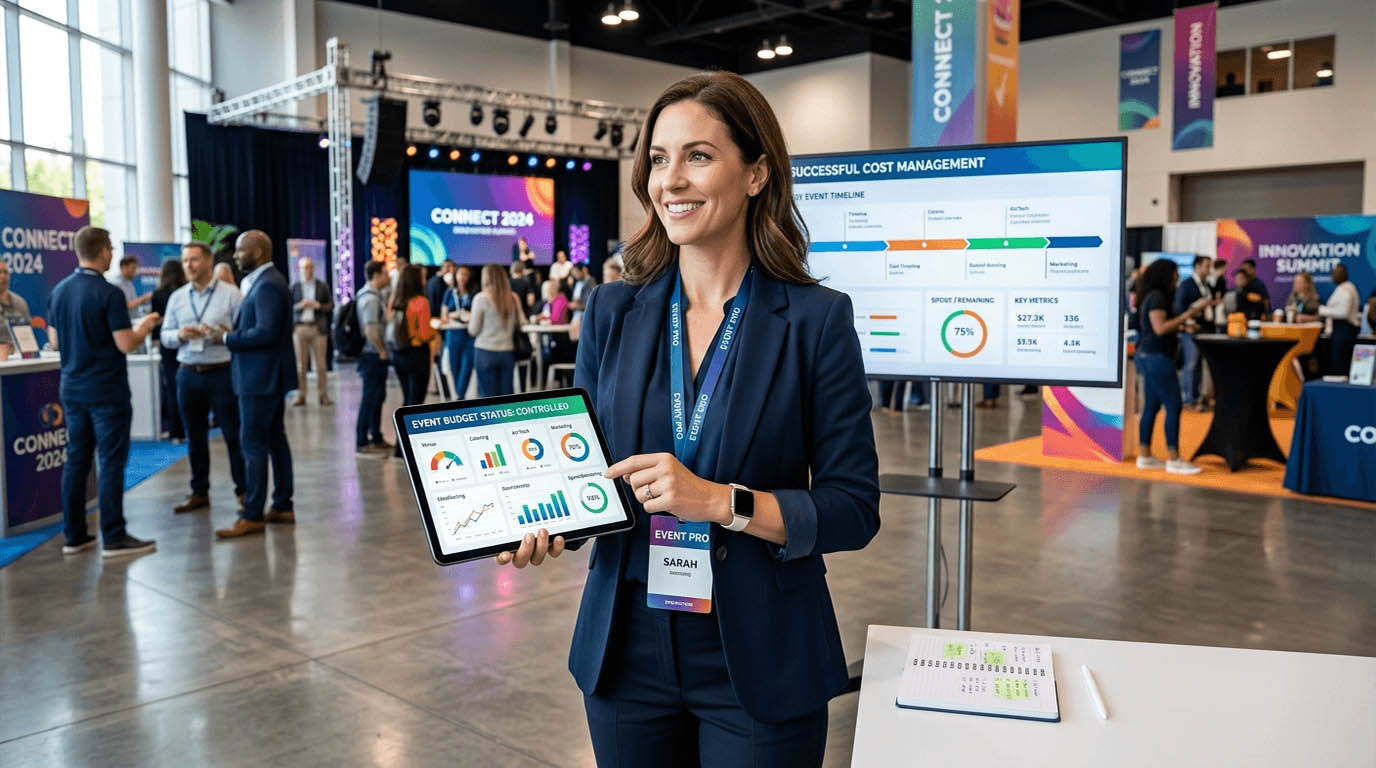
Conference organizers lose time and money when expense tracking is scattered across email threads, paper receipts, and competing spreadsheet versions. The fix is a structured workflow that captures every cost as it happens, links claims to real budgets, and makes end-of-event reporting painless for everyone involved, including the client.

What a Multi-Vendor Conference Budget Actually Looks Like

Before you can fix the problem, it helps to see it clearly. A typical mid-size conference budget involves costs that arrive from many directions at many different times. The breakdown usually includes:

  1. Venue and facilities – deposit, final payment, and often surprise add-ons billed separately after the event
  2. Audio-visual production – equipment hire, technician fees, and on-the-day incidentals that no one quoted for
  3. Catering – usually split across multiple meal windows and adjusted after final headcount confirmation
  4. Speaker fees and travel – flights, accommodation, and honorariums that vary by individual contract
  5. Marketing and print materials – signage, event programs, branded merchandise, and digital advertising
  6. Staff and crew – hired hands who submit reimbursements for transport, meals, and supplies bought on the day
  7. Technology and platforms – registration systems, badge printing, and event apps with their own billing cycles
  8. Contingency spending – last-minute purchases that rarely make it into anyone’s pre-event planning document

Each of these categories involves multiple invoices, multiple approvals, and multiple people responsible for logging costs. When those people use different methods, your budget becomes a puzzle with pieces scattered across email, messaging apps, and four versions of the same file.

Why Staff Spending Is the Gap Most Budgets Miss

The gap in most event budgets is not the vendor invoices. Those usually arrive with proper documentation. The gap is in staff spending. The coordinator who grabbed extra extension cables at the hardware store. The registration desk volunteer who bought two boxes of pens. The AV technician who paid for parking to be near the venue before gates opened.

These small costs accumulate fast, and they are almost impossible to track when your team is sending receipt photos through a group chat. Structured expense claims change that entirely. Instead of chasing paperwork after the event, every team member logs their spending in real time, attaches their receipt digitally, and routes the submission for approval before the total even hits your books.

This is not just tidier. It is faster. Approved claims flow directly into your budget tracking without a manual data entry step. That means you always know where you stand, not just where you stood last Tuesday when someone last updated the spreadsheet.

What a Structured Claims Process Should Cover

  • Pre-event purchases by staff who buy supplies without a formal purchase order
  • On-the-day incidentals that nobody budgeted for but everyone knows will happen
  • Travel and accommodation reimbursements for staff attending multi-day events
  • Client-facing expenses that need to be billed back with proper supporting documentation
  • Post-event costs like return shipping, equipment storage, or cleaning surcharges

When every one of these categories has a clear submission path, your closing numbers are much cleaner. And cleaner numbers mean fewer disputes with vendors, fewer surprises for clients, and fewer late nights trying to reconcile what actually happened.

Keeping Vendor Invoices From Becoming a Late-Night Problem

On the vendor side, the challenge is not usually volume. It is timing. Invoices arrive before, during, and after the event with no consistent schedule. A caterer might send a final bill three weeks post-event. An AV company might split their invoice into two separate documents for equipment and labor. A transport provider might issue a corrected invoice after a disputed line item.

The key is having a single place where all incoming bills land, get coded to the right budget line, and get flagged for payment. When that process is in place, nothing gets missed. Vendors get paid on time, and you have a complete picture of what each budget category actually cost before the client asks.

Approval workflows earn their keep here too. Not every invoice should go straight to payment. Some need a second set of eyes, especially if amounts have changed from the original quote. Building that check into your process protects you from paying for things you did not authorize.

Closing the Books After the Event

Post-event reporting is where a lot of conference budgets fall apart. The event is over, the team is exhausted, and someone still has to produce a clean financial summary for the client or the board. If your data is scattered, that summary takes days. If your data is structured from the start, it takes hours at most.

Thorough financial reporting at the end of an event should do more than confirm what was spent. It should show variance against budget by category, flag any cost overruns with context, and give the client enough detail to understand every line item. That kind of transparency builds trust. It also makes it easier to win repeat business, because the client can see you managed their money with care.

The reports that impress clients are not built in a hurry at midnight. They are the ones that were already half-built throughout the event, because every cost was captured and categorized as it occurred. That only happens when the process is structured before the event starts, not cobbled together after everyone has gone home.

What a Post-Event Budget Report Should Include

  • Final spend per budget category against original estimates
  • Total vendor invoices paid and any outstanding amounts still pending
  • Staff reimbursements claimed and approved during the event period
  • Any budget transfers or reallocations made during production
  • A short narrative explaining significant variances
  • Supporting receipts and invoices filed and accessible for audit purposes

Running Multiple Events at Once Without the Overlap

Boutique event agencies face a problem that solo organizers rarely deal with: managing multiple clients and events at the same time. A team running three conferences across two months needs a way to keep those budgets completely separate, assign the right costs to the right event, and still produce clean reporting for each client independently.

This is where the tooling really matters. Purpose-built agency accounting treats each project as a self-contained financial unit. You can manage your team overhead and operating costs as a separate layer, without client costs bleeding into each other. That separation is not just good practice. It becomes a liability issue if a client ever asks you to audit what was spent on their event specifically.

Agencies also tend to have more complex staffing arrangements, with contractors, freelancers, and full-time staff working on different events at different rates. When time and expenses are tracked at the project level, billing clients back for staff costs becomes straightforward instead of a guessing game.

The Steps That Actually Move You Away From Spreadsheets

Making the switch does not have to be an all-at-once overhaul. You can build better habits progressively, starting with the areas that cause you the most pain right now.

  1. Standardize your budget categories first. Agree on the same category names across every event so your reports are comparable over time and across clients.
  2. Set up a single claims submission channel. One place where all staff submit expenses, regardless of which event they are working on that week.
  3. Assign a budget owner for each vendor category. Someone who is responsible for logging and approving invoices in their specific area before payment is made.
  4. Run a mid-event budget check. Not just at the end. A review at the halfway point catches overruns while you can still act on them.
  5. Build your post-event report template before the event starts. Know exactly what you need to produce and make sure your tracking captures the right data from day one.
  6. Archive every receipt and invoice in one searchable place. Digital filing saves hours when a vendor disputes a payment or a client asks a question six months later.

When Your Budget Finally Works as Hard as You Do

Event planning has always been a job where the margin for error is thin. Clients expect flawless execution on a budget that was probably squeezed before the first venue quote came in. Getting cost management right is not a back-office concern. It is core to delivering the event you promised.

Structured workflows, proper claims tracking, and clean post-event reporting are not luxuries reserved for large agencies with dedicated finance teams. They are exactly what any conference organizer needs to stay in control of the numbers without spending half their time repairing spreadsheet errors.

Start with the process. Pick the tools that support it. Your next budget reconciliation might actually be the easy part of the job.

Event Security Checklist for Corporate Conferences

Event Security Checklist for Corporate Conferences

In the fast paced world of corporate conferences, security goes beyond keeping people safe from harm. It shapes attendee trust, protects sensitive information, safeguards brand reputation, and enables brilliant ideas to flow without interruption. Whether you are planning a hybrid event with both in person and virtual attendees or a fully live conference, a solid security checklist is essential. This guide from Conferences.com.sg helps event organizers in Singapore and beyond build a practical, scalable security program that aligns with your conference goals, venue realities, and regulatory requirements.

Understand the risk landscape for corporate conferences

Every conference carries a unique mix of risks. A thoughtful risk assessment forms the foundation of your security plan and informs decisions about staffing, technology, and workflows.

  • Physical risks
  • Crowding and queuing hazards, access control gaps, sabotage or vandalism
  • Theft of personal belongings and equipment, exhibitor displays
  • Medical emergencies and crowd crush scenarios during keynote sessions or popular breaks

  • Cyber risks

  • Data leakage from attendee registrations, sponsor materials, or exhibitor apps
  • Phishing attempts targeting speakers or VIPs via email or chat tools
  • Unsecured networks used by attendees or staff to access confidential information

  • Reputational risks

  • Protests or disruptions during sessions
  • Negative media attention stemming from security lapses

  • Operational risks

  • Power, weather, or transport disruptions
  • Supply chain delays for security equipment, badges, or safety supplies

  • Health and safety risks

  • Infectious disease concerns, allergies, or medical incidents

  • Compliance risks

  • Data privacy regulations such as PDPA in Singapore and related GDPR considerations for international attendees
  • Venue rules and permit requirements for security measures

A practical starting point is to map risk scenarios to likelihood and impact, then prioritize mitigations that are feasible within your budget and timeline. Include venue security staff, your internal security lead, IT and facilities teams, and, if applicable, the host organization’s security liaison.

Build a security concept aligned with your conference goals

A security concept is not a rigid script. It is a living framework that adapts to your program, attendee profile, and the evolving threat landscape. A well aligned concept merges safety with a positive attendee experience.

  • Define security governance
  • Appoint a lead security director and an incident command team
  • Establish roles and responsibilities for staff, volunteers, vendors, and exhibitors
  • Create decision making processes for escalation and approvals

  • Align security with program objectives

  • Map security measures to session types (keynotes, workshops, expo, VIP lunches)
  • Identify areas with heavy foot traffic and plan for crowd control and access management

  • Develop security policies

  • Attendee code of conduct, speaker requirements, and accessory restrictions
  • Bag and item policies clearly communicated in pre event materials
  • Dress code and uniform guidelines for staff to ensure visibility and cohesion

  • Prepare incident response playbooks

  • Scenarios for medical emergencies, fire alarms, security incidents, or IT outages
  • Clear steps for notification, containment, evacuation if needed, and reunification

  • Plan communications

  • Pre event communications about security measures and what attendees should expect
  • On site communications with staff and attendees during incidents
  • Post event debrief and reporting to stakeholders

Strengthen access control and credentialing

Access control is often the most visible and impactful security component. A robust system reduces risk while preserving a smooth attendee flow.

  • Credential design
  • Use color coded badges to differentiate attendee, exhibitor, staff, and press
  • Incorporate barcodes or QR codes for quick verification
  • Include essential information on badges such as name, company, title, and emergency contact

  • Credentialing process

  • Pre event registration with verified email and company affiliation
  • On site registration with check in desk and real time attendee list
  • VIP or speaker pre check in to expedite access

  • Access control points

  • Controlled entry to the main hall, expo floor, and restricted back of house
  • Separate lanes for attendees, exhibitors, media, and staff
  • Bag check or screening for high risk zones, while keeping flow efficient

  • Physical barriers and monitoring

  • Stanchions and barriers to guide crowd movement without creating bottlenecks
  • Visible security personnel at major choke points
  • Digital surveillance with live monitoring by a security team

  • Third party access

  • Vetting process for vendors and exhibitors
  • Access logs for contractors and staff with time and place stamps

Screening and baggage policies

Screening and baggage policies help deter threats while ensuring a positive attendee experience.

  • Screening options
  • On site bag checks at entry points
  • Metal detector wand or walk through scanners as appropriate to risk level
  • Randomized screening to discourage predictable patterns

  • Policy clarity

  • Clear communications about prohibited items
  • Guidelines for electronics and device charging areas
  • Provisions for medical devices and accessibility tools

  • Exemptions and accommodations

  • Arrangements for attendees with medical devices or disabilities
  • Private screening spaces for VIPs or sensitive attendees if required

  • Training for screeners

  • Customer service training to reduce friction
  • Awareness of bias and sensitivity to diverse attendees

Cyber security and hybrid conference safeguards

Hybrid events present unique cyber security challenges. A solid cyber strategy protects attendee data, preserves session integrity, and ensures reliable streaming.

  • Network architecture
  • Segmented networks for guest WiFi, staff devices, and event systems
  • Encrypted connections with TLS for all data in transit
  • Separate management network for critical infrastructure

  • Access and authentication

  • Strong, unique credentials for staff and vendors
  • Multi factor authentication for admin portals and event apps
  • Role based access controls to limit data exposure

  • Secure registration and ticketing

  • Use trusted registration platforms with fraud prevention
  • Protect personal data with minimal data collection and secure storage

  • Session and streaming security

  • Secure streaming platform with access controls for paid or restricted sessions
  • Watermarking or unique stream keys to prevent unauthorized redistribution
  • Anti pirating measures for recorded sessions

  • Attendee privacy and data rights

  • Clear consent for data usage, retention periods, and data sharing with sponsors
  • Data minimization and anonymization where possible
  • Rapid response plan for data breach incidents

  • AI and automation

  • AI driven risk scoring for suspicious activity alerts
  • Chatbots to answer common security questions and provide directions
  • AI assisted anomaly detection for network traffic but with guardrails to avoid false positives

  • Device security for staff laptops and equipment

  • Ensure all staff laptops and tablets have up to date security software, encryption, and secure configurations
  • Use VPNs when connecting to internal resources or sponsor portals
  • Build a strict bring your own device policy and provide secure devices if needed

Data privacy and compliance

Protecting attendee information is both ethical and regulatory. A privacy minded approach builds trust and reduces legal risk.

  • Data minimization
  • Collect only what is necessary for registration, matchmaking, and onsite services
  • Do not collect sensitive data unless there is a clear business need and consent

  • Consent and notices

  • Clear privacy notices during registration
  • Consent options for marketing communications and sponsor data sharing

  • Data retention and deletion

  • Define retention periods and secure disposal methods for attendee data
  • Implement automated deletion for past event records

  • Data access controls

  • Limit access to personal data to authorized personnel only
  • Use audit logs to track who accessed what data and when

  • Cross border considerations

  • For attendees outside Singapore, ensure transfers comply with PDPA as well as international data transfer rules

Communications and emergency notification

Effective communication can prevent confusion and speed up response during emergencies.

  • Pre event communications
  • Provide attendees with a security plan overview and what to expect at access points
  • Include emergency contact information and a clear code of conduct

  • On site communications

  • Public address system with clear, calm messaging
  • Digital signage to guide crowd flow and indicate restricted areas
  • A mobile app or SMS alert system for real time updates

  • Staff communication

  • Dedicated radio channels or secure chat tools for security teams
  • Quick reference guides with step by step response actions

  • Crisis communications with stakeholders

  • Protocols for informing sponsors, venue management, and local authorities
  • A media statement template and designated spokesperson

On site operations and crowd management

Smooth operations reduce risk and improve the attendee experience. Plan for hot spots, movement, and rapid response.

  • Site layout planning
  • Clear floor plans showing entrances, exits, stage areas, expo space, and restrooms
  • Safe routes for evacuation and accessible routes for mobility impaired attendees

  • Staffing and training

  • Sufficient security personnel and stewards for all zones
  • De escalation training, cultural sensitivity, and emergency response drills
  • Security liaisons with venue security and local authorities

  • Signage and wayfinding

  • Visible signs for entrances, exits, first aid, and restricted areas
  • Floor decals to guide queues and prevent crowding

  • Medical readiness

  • On site first aid station with trained medical staff
  • Ambulance access routes and clear contact protocols for emergencies
  • Quick access to attendee medical information if consent is given

  • Exhibit hall security

  • Dedicated security near the expo and sponsor areas
  • Clear policies for transporting and displaying exhibitor materials
  • Secure storage for high value items overnight if required

  • Contingency planning

  • Backup power for critical equipment and lighting
  • Backup streaming options or venue alternative spaces in case of IT outages
  • Weather and evacuation venue plans, including assembly points

Vendor and exhibitor security

Vetting and monitoring external partners is essential to reduce risk.

  • Vetting and onboarding
  • Due diligence process for vendors and exhibitors
  • Security requirements included in contracts
  • Pre event briefing to align on safety expectations

  • Display and shipment security

  • Secure shipping and receiving areas
  • Chain of custody for exhibit material from loading dock to display

  • Onsite coordination

  • A dedicated vendor liaison for scheduling, access control, and problem solving
  • Real time updates about changes to booth placement or session schedules

Health and safety considerations

A healthy event environment supports attendee engagement and reduces incident risk.

  • Hygiene and sanitation
  • Hand sanitizing stations and enhanced cleaning schedules
  • Clear guidance on food handling and allergen management

  • Accessibility

  • Accessible entrances, restrooms, seating, and service areas
  • Staff trained to assist attendees with disabilities

  • Mental health and well being

  • Quiet rooms or spaces for attendees who feel overwhelmed
  • Access to information on wellness resources

  • Allergy and medication management

  • Clear labeling for food allergens at catering stations
  • Medical medications stored securely and accessible if needed

Crisis management and incident response

Tabletop exercises and real time drills improve readiness.

  • Incident command structure
  • Define roles such as incident commander, safety officer, communications lead
  • Establish a single point of contact for external agencies

  • Preparedness drills

  • Pre event tabletop exercise with staff and security partners
  • Post drill review and action plan for gaps

  • After action review

  • Debrief sessions with stakeholders to capture lessons learned
  • Documentation of improvements for future events

Adequate coverage reduces financial exposure and accelerates recovery.

  • Insurance coverage
  • General liability, event cancellation, and property insurance
  • Cyber liability coverage for data breaches and IT incidents

  • Waivers and releases

  • Clear terms for attendee participation and risk acknowledgement
  • Sponsor and exhibitor agreements with security obligations

  • Compliance documentation

  • Records of risk assessments, incident logs, and staff training
  • Evidence of compliance with PDPA and venue regulatory requirements

Post event security review and continuous improvement

A thorough post event review closes the loop and informs future improvements.

  • Data review and privacy
  • Review data handling and retention practices
  • Assess any privacy incidents and remedial actions taken

  • Security performance metrics

  • Incident counts, response times, and resolution outcomes
  • User feedback from attendees and staff about security experience

  • Recommendations and action plan

  • Prioritized improvements for security staffing, technology, or policies
  • Timeline and ownership for implementing changes

  • Documentation for sponsors and stakeholders

  • Summary of security measures, costs, and outcomes
  • Lessons learned and evidence of risk mitigation

Practical checklists by timeline

A structured timeline helps ensure security readiness without last minute scrambles.

  • 90 days before
  • Finalize risk assessment and security concept
  • Engage venue security and local authorities if required
  • Start vendor vetting and contract security requirements
  • Plan badge design, access control points, and screening approach
  • Outline cyber security requirements for hybrid components

  • 60 days before

  • Confirm incident command structure and roles
  • Begin training programs for staff and volunteers
  • Set up registration and attendee privacy safeguards
  • Establish emergency notification and communications plans
  • Arrange medical support and first aid provisions

  • 30 days before

  • Tighten access control procedures and run drills
  • Test network segmentation and streaming security for hybrid format
  • Finalize signage, floor plans, and crowd management details
  • Confirm insurance certificates and compliance documentation

  • 7 days before

  • Conduct a full security walk through with stakeholders
  • Reconfirm vendor and exhibitor access times
  • Verify badge production and distribution logistics
  • Run a final data privacy and breach response rehearsal

  • Day of event

  • Execute access control and screening with trained staff
  • Monitor networks and streaming platforms for anomalies
  • Maintain open lines of communication among staff and venue
  • Implement incident response if any issue arises

  • Post event

  • Collect feedback from attendees on security experience
  • Compile post event security report and debrief with team
  • Begin remediation plan based on lessons learned

How to tailor this checklist to your organization

Every organization has different risk tolerances, audience profiles, and regulatory constraints. Use this checklist as a living template and tailor it to your unique needs.

  • Align with your brand and audience
  • If your conference includes VIPs or executives, add extra credentialing steps and private routes
  • For global audiences, consider language support and accessible communications

  • Consider venue specifics

  • Some venues have integrated security systems and staffing; adapt your plan to complement rather than duplicate efforts
  • If streaming from multiple locations, ensure consistent cyber security controls

  • Budget pragmatically

  • Prioritize high impact measures such as access control and cyber security for hybrid components
  • Use scalable security options to adapt to attendee numbers and program intensity

  • Leverage technology and AI wisely

  • Use AI to flag unusual patterns in registration or network usage, but maintain human oversight
  • Choose vendor platforms with transparent security practices and certifications

  • Keep attendees informed

  • Share security expectations before the event and provide clear on site directions
  • Offer a simple channel for attendees to report concerns or ask security questions

Why this security checklist matters for Conferences.com.sg readers

Conferences.com.sg is dedicated to elevating professional events through expertise and innovation. A comprehensive security checklist supports your hybrid and in person conferences by:

  • Protecting attendees and staff while delivering a seamless experience
  • Safeguarding confidential information, sponsor assets, and intellectual property
  • Ensuring compliance with local PDPA and international privacy considerations
  • Enabling a smooth flow of sessions, networking, and expo activities without unnecessary interruptions
  • Demonstrating a professional, well prepared event that fosters trust and engagement

Final tips for success

  • Start early and revisit your plan regularly as the event approaches
  • Involve stakeholders from security, IT, facilities, legal, and senior leadership
  • Practice clear, calm communication during any incident
  • Always have a backup plan for technology failures or environmental disruptions
  • Document everything for future improvements and sponsor confidence

If you are plotting a corporate conference that blends live and digital experiences, this security checklist will help you protect people, data, and brand while preserving the energy and inspiration that make conferences unforgettable. For more insights on hybrid conference planning, secure networking, and practical event management tools, explore our full library of Event Planning Resources at Conferences.com.sg.

How to Plan a Hybrid Conference That Actually Works

How to Plan a Hybrid Conference That Actually Works

From experience guiding professional events through every stage of planning, we know that a hybrid conference is not just a trend it is a powerful way to expand reach while maintaining intimacy. The challenge is not just to stream a keynote it is to design an experience that makes remote attendees feel seen heard and part of the action. At Conferences com sg we blend event planning expertise with insights on hybrid technology, security, AI and even luxury touches to help you create conferences that work for everyone. In this guide you will find a practical framework, actionable checklists and templates you can reuse for your next hybrid conference.

Why hybrid conferences are here to stay

Hybrid conferences unify in person energy with the accessibility of virtual attendance. They allow you to reach global audiences while preserving the networking and exclusivity that live events provide. The benefits go beyond attendance numbers:

  • Expanded audience reach across time zones and geographies
  • More flexible sponsorship opportunities and tiering
  • Content repurposing potential that multiplies the life of sessions
  • Resilience against disruptions such as travel limitations or weather issues
  • Data collection opportunities that inform future event design

However the upside only shows if you address a few core realities: technical reliability, inclusive design, thoughtful engagement, and a clear value proposition for both in person and remote participants. The good news is that with careful planning you can unlock the benefits without compromising quality or attendee experience.

Define your hybrid strategy

A strong hybrid strategy starts long before day one of the event. It begins with clarity about who you are serving and what success looks like.

Audience mapping

Creating two audience profiles helps you tailor every decision from platform choice to session formats.

  • In person attendees who value networking, immersive stage experiences and tactile engagement
  • Remote attendees who value convenience, clear delivery of content and strong interaction with speakers and peers

Action steps:
1. List top three goals for each audience segment.
2. Map which sessions are essential for remote participation and which are more venue centric.
3. Design a shared event calendar that shows when key content goes live and when live networking opportunities occur.

Content design for hybrid

Not all content travels well between live and virtual environments. Strategically design sessions to be engaging for both audiences. Consider formats such as:

  • Dual streams with synchronized Q and A that allow both audiences to participate
  • Moderated discussions that bring in remote voices with real time polling
  • Short, high energy breaks with lightning talks to keep attention

Technology stack

Your tech stack is the backbone of your hybrid conference. A smart selection aligns with your budget and your audience needs.

  • Streaming platform that supports HD video audio and chat
  • Event management system for registration access control and session scheduling
  • Networking tools for remote engagement including polls breakouts and Q A
  • AI assisted assistants to help attendees find sessions and connect with others
  • Security measures that protect data and privacy

Recommendation: start with a platform that covers core needs and add specialized tools only if they deliver measurable benefits.

Build a robust technical plan

Technical success hinges on planning, testing and redundancy. Your plan should cover platform choice, AV and streaming, connectivity and security.

Platform selection

Choose a primary platform for livestreaming and a secondary platform for interactions if needed. Consider:

  • Reliability track record with similar event sizes
  • Accessibility features including captions transcripts and keyboard navigation
  • Integrations with your registration system and exhibitor tools
  • Global data center coverage to minimize latency for international attendees

AV and streaming workflow

From camera placement to audio engineering every detail matters for a professional experience.

  • Hire a reputable AV partner with hybrid event experience
  • Use redundant encoders and backup streams to reduce downtime
  • Test run of all sessions including remote speaker checks
  • Plan for on stage cues and house sound adjustments that work for both formats

Internet connectivity

A strong internet connection is essential, especially in venues with many devices. Build in:

  • Primary and backup internet lines with sufficient bandwidth
  • WIFI access points with coverage maps and capacity planning
  • Ethernet drops for critical equipment and back up power for modems
  • Clear bandwidth usage guidelines for exhibitors and speakers

Security and privacy

Hybrid events face similar security risks as any online service plus unique challenges from mixed environments.

  • Enforce role based access and multi factor authentication for organizers and sponsors
  • Use encrypted data transfer and secure storage for attendee information
  • Regular security testing including vulnerability scans and incident drills
  • Have a clear data retention policy and a compliant privacy notice for attendees

Engagement and interaction that feels real

Engagement is the heart of a successful hybrid conference. You want attendees to feel connected to the content and to each other.

Plenary and parallel sessions

Balance breadth and depth in your agenda.

  • Offer a featured keynote with interactive segments for remote and in person audiences
  • Create parallel tracks that can be streamed with interactive Q A
  • Include short micro sessions to keep energy high and provide variety

Networking and expo

Networking is a major draw for in person attendees but it is equally valuable online.

  • Virtual networking lounges and speed dating style meetups
  • Hybrid expo halls where sponsors host live demos and remote chat
  • AI powered matchmaking that suggests sessions and people based on interests

Q A and chat moderation

A healthy exchange improves trust and keeps the event dynamic.

  • Set ground rules for Q A and appoint dedicated moderators
  • Use real time translation if you expect a multilingual audience
  • Incorporate moderated chat with the ability to flag inappropriate content

Logistics and operations that scale

Operational excellence turns a good plan into a smooth experience.

Venue considerations

Choose a venue that supports hybrid needs with robust connectivity and suitable spaces.

  • Adequate stage area for hybrid production
  • Quiet rooms for remote presenters
  • Onsite technical support and clear access to power and internet
  • Proximity to hotels and easy transportation for attendees

Hybrid registration and access

A seamless registration experience reduces friction and enhances satisfaction.

  • Clear pricing for in person and virtual passes
  • Easy add ons such as access to recordings and post event materials
  • Separate check in lines for different attendee types to minimize queues
  • Accessible registration information including schedules and session links

Time zone planning

When audiences are spread across zones, clarity matters.

  • Display session times in multiple time zones
  • Use a centralized run of show that aligns global clocks
  • Record all sessions and provide on demand access for attendees who cannot attend live

Accessibility and inclusivity

Make participation easy for everyone.

  • Live captions and sign language interpretation where needed
  • Descriptions for media and screen readers
  • Simple navigation and consistent layout across devices
  • Keyboard accessible controls and visible focus indicators

Audience experience and branding

A strong experience reinforces your message and showcases your organization.

Luxury touches and accessories

Even in hybrid formats you can lean into premium touches that elevate the event.

  • High quality stage design and lighting
  • Branded swag and premium exhibitor kits
  • Clear and elegant signage for both in person and online formats
  • Thoughtful welcome gifts that work for both audiences

Content repurposing

A hybrid conference creates a treasure trove of content that can be repurposed across channels.

  • Transcripts and captions for accessibility
  • Short clips for social media and promotional material
  • Blog posts and white papers drawn from sessions
  • On demand video libraries for long term engagement

Security tips for hybrid events

Security is not optional it is essential for attendee trust and sponsor confidence.

Data protection

  • Encrypt personal data in transit and at rest
  • Limit data collection to what is necessary for the event
  • Use secure third party services with strong privacy practices
  • Audit data access and retention periodically

Access controls

  • Role based access for staff and vendors
  • Unique credentials for speakers attendees and exhibitors
  • Temporary access windows for contractors
  • Monitor for suspicious activity and have a quick response plan

Incident response

  • Create an incident response playbook with defined roles
  • Practice drills for data breaches or AV failures
  • Clear communication templates for attendees and sponsors
  • Post incident review with improvements for future events

Budgeting and ROI

A well planned hybrid event should deliver measurable value. Start with a clear budget and track return on investment.

Cost categories

  • Platform and production costs
  • Venue and on site personnel
  • AV equipment and streaming services
  • Sponsorship packages and exhibitor management
  • Marketing and communications
  • Contingency and insurance

ROI metrics

  • Attendance numbers and engagement rates across channels
  • Lead generation and sponsor satisfaction
  • Content monetization and on demand views
  • Post event feedback and participant net promoter score
  • Long term impact such as increased partnerships and brand awareness

AI in hybrid conferences

Artificial intelligence can streamline planning and enrich the attendee experience when used thoughtfully.

AI for content planning

  • Topic clustering from submissions to shape a balanced agenda
  • Speaker recommendations based on audience interests
  • Automated calendar optimization to fit global time zones

AI for attendee experience

  • Smart attendee guides with personalized session suggestions
  • Real time translation and captioning improvements
  • AI facilitated networking matchmaking
  • Sentiment analysis during sessions to adjust pacing and engagement

Post event and follow up

The work continues after the final session ends. A strong post event program multiplies the value of your investment.

  • Share recordings and materials with attendees
  • Publish a concise post event report with key takeaways
  • Nurture leads with targeted follow up emails and resources
  • Gather feedback through surveys and interviews to improve future events
  • Reflect on what worked, what did not, and update your playbook

Checklists and templates

Templates save time and reduce risk. Use these starter templates and customize to your event.

Tech setup checklist

  • Confirm platform licenses and access for staff
  • Run a full rehearsal with speakers including remote participants
  • Verify streaming backups and redundancy plans
  • Test connectivity in all planned locations including backup spaces
  • Prepare backup devices and quick recovery steps for each station

Run of show template

  • Pre event briefing including all roles and contact details
  • Session timing with buffer windows for overruns
  • Speaker rehearsals and tech checks
  • Live Q A and engagement moments scheduled and announced
  • Post event wrap and media release plan

Conclusion

A hybrid conference that truly works is built on purpose clear strategy and disciplined execution. It requires thoughtful audience mapping smart technology a focus on security and a commitment to exceptional attendee experience. By combining practical project management with the luxury touches that elevate a conference and the power of AI to streamline operations you can create an event that resonates with both in person and virtual attendees. At Conferences com sg we are passionate about helping planners in Singapore and beyond craft hybrid experiences that are meaningful, measurable, and memorable. Ready to start planning your next hybrid conference? Use the templates and checklists in this guide as your first step and let your event set a new standard for hybrid excellence.

Organizing Attendee Data for Faster and Error Free Conference Registration

Organizing Attendee Data for Faster and Error Free Conference Registration

Registration desks often look calm on the surface, yet behind every smooth check in lies a carefully structured dataset. Names, emails, ticket types, dietary notes, session access, all of it must be accurate and accessible within seconds. A single inconsistency can slow down queues, confuse staff, and damage the first impression of the event. That is why experienced organizers treat attendee data as a core operational asset, not just an administrative task.

Before any badge is printed or QR code is scanned, there is a quiet but critical workflow happening. Lists are cleaned. Fields are standardized. Duplicate entries are removed. Data is reshaped into a format that registration systems can interpret instantly. The difference between chaos and flow often comes down to how well this preparation is done.

Quick Overview

  • Clean attendee data reduces delays and errors at registration
  • Structured formats improve system compatibility and speed
  • Deduplication prevents confusion and duplicate badge printing
  • Clear workflows allow staff to manage large crowds with confidence

The Hidden Work Behind Every Smooth Check In

Attendee data rarely arrives in a clean format. It comes from ticketing platforms, spreadsheets, manual entries, and sometimes even email lists. Each source introduces its own inconsistencies. Names may appear in different formats. Email fields might contain extra spaces. Columns may not align properly. If left unchecked, these small issues compound quickly during live registration.

Organizers often begin by restructuring raw data into a unified format. A practical step involves using a delimiter converter to split or combine columns efficiently. This ensures that first names, last names, and company details are consistently organized. Without this step, systems may misinterpret data, leading to mismatched badges or incomplete records.

Clarity in structure allows registration software to function as intended. Staff can search attendees instantly. Badge printing systems can pull the correct fields without delay. The entire process becomes predictable, which is exactly what high profile conferences require.

Building a Reliable Data Foundation Before Event Day

Preparation begins long before attendees arrive. Data must be reviewed, standardized, and validated in stages. This approach minimizes last minute surprises and ensures that every record is usable.

Consider how ticket tiers affect registration. VIP attendees may require special access, while general attendees follow a different path. If these categories are not clearly defined in the dataset, staff may struggle to direct attendees correctly. Structured tagging becomes essential.

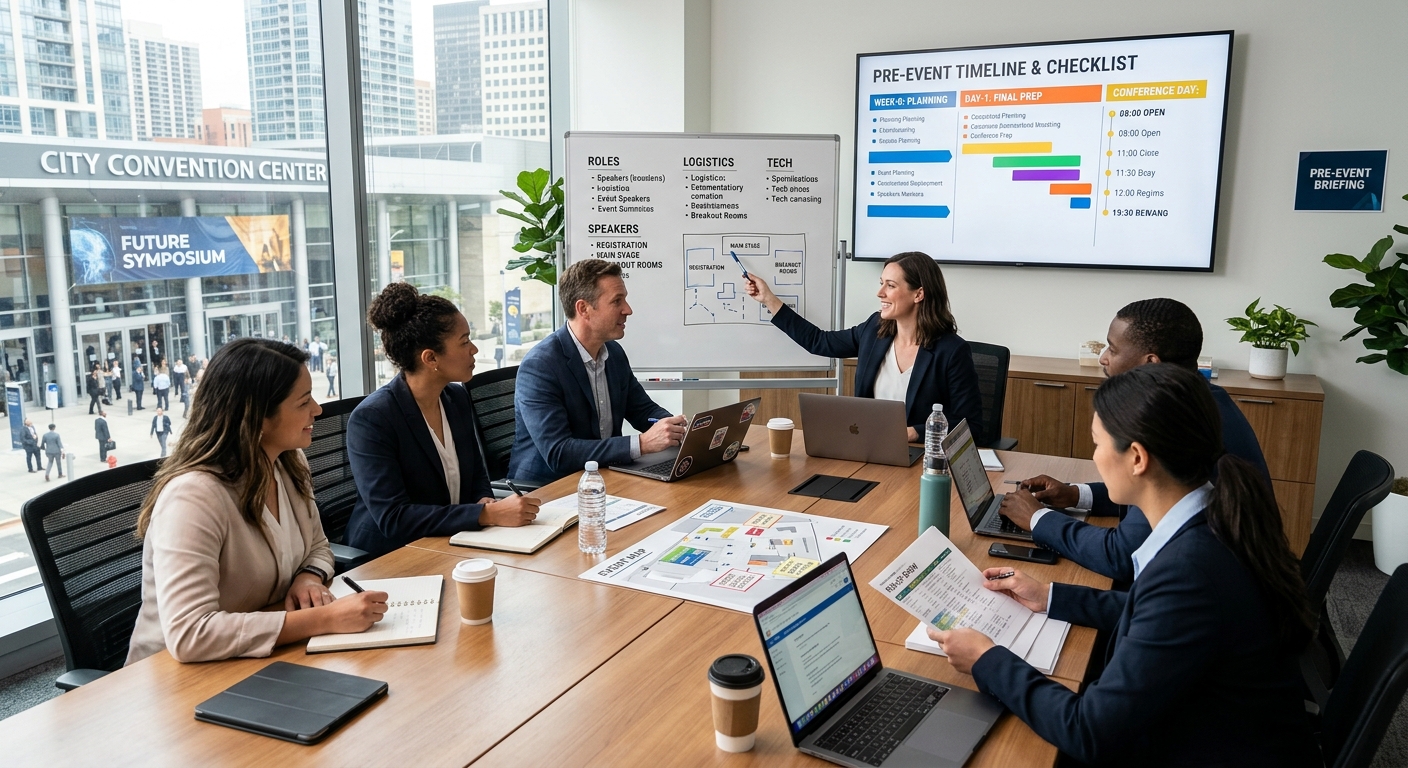
This is also where alignment with operational planning becomes important. For example, workflows described in on-site registration strategies rely heavily on clean datasets. Without accurate data, even the best physical setup cannot compensate for digital confusion.

Why Duplicate Entries Create Real Problems

Duplicate records are more than just a minor inconvenience. They can disrupt badge printing, inflate attendance numbers, and create awkward situations at the registration desk. Imagine an attendee being told they are already checked in when they have just arrived. These moments affect perception.

Removing duplicates is a simple yet powerful step. Tools that can remove duplicate lines help organizers clean large datasets quickly. This process ensures that each attendee has a single, authoritative record. It also reduces the risk of printing multiple badges for the same person.

Clean data leads to confident staff interactions. When records are accurate, check in becomes a seamless exchange rather than a troubleshooting session.

Practical Data Structuring Steps That Save Time

Organizers often follow a structured workflow when preparing attendee lists. Each step builds on the previous one, creating a reliable dataset that supports real time operations.

1. Consolidate all data sources into one master file.

2. Standardize column names such as First Name, Last Name, Email, Company.

3. Normalize text formats, ensuring consistent capitalization and spacing.

4. Validate email formats and remove incomplete entries.

5. Tag attendees based on ticket type or access level.

6. Test the dataset with the registration system before event day.

Each of these steps may seem simple, yet together they create a system that performs under pressure. Skipping any step increases the likelihood of friction during live operations.

How Clean Data Improves Staff Efficiency

Registration teams rely on speed and clarity. They need to locate attendee records instantly and confirm details without hesitation. Clean data reduces cognitive load. Staff do not have to guess or interpret inconsistent entries. Instead, they follow a predictable pattern.

This efficiency becomes even more important in high volume events. Hundreds of attendees may arrive within a short time frame. A well structured dataset allows multiple staff members to work simultaneously without confusion. Everyone follows the same logic.

Technology also benefits from this clarity. Systems that use RFID or QR codes depend on accurate backend data. Insights from RFID check-in workflows highlight how precision at the data level directly impacts scanning speed and reliability.

Common Data Issues That Slow Down Registration

Even experienced organizers encounter recurring problems. Recognizing these issues early helps prevent delays later.

  • Inconsistent name formats across different sources
  • Missing or incomplete email addresses
  • Duplicate entries from multiple registrations
  • Unclear ticket categories or access levels
  • Extra spaces or hidden characters in fields

Each issue introduces friction. Combined, they can significantly slow down registration. Addressing them systematically ensures a smoother experience for both attendees and staff.

Visualizing Data Quality with a Simple Framework

Data AspectCommon IssueImpact on RegistrationSolution
NamesMixed formatsSearch delaysStandardize fields
EmailsInvalid entriesCheck in errorsValidation checks
DuplicatesMultiple recordsBadge confusionDeduplication
CategoriesUnclear labelsAccess issuesClear tagging

Scaling Data Workflows for Larger Conferences

As events grow, the complexity of attendee data increases. More participants mean more variations in registration details. International attendees may introduce different naming conventions. Corporate groups may register in bulk. Each scenario adds another layer to data management.

Scalability requires systems that can handle these variations without breaking down. Organizers often segment data into manageable groups. For example, speakers, sponsors, and general attendees may each have dedicated datasets. This segmentation simplifies processing and reduces the risk of errors.

Understanding how data flows through systems also helps. Concepts related to data processing show that structured inputs lead to predictable outputs. Applying this principle to event management ensures that registration systems perform consistently under load.

Balancing Automation and Human Oversight

Automation plays a major role in modern conference operations. Systems can sort, validate, and process large datasets quickly. Yet human oversight remains essential. Automated tools may not catch context specific issues, such as incorrect company names or unusual formatting.

A balanced approach works best. Automation handles repetitive tasks, while human review ensures accuracy and relevance. This combination creates a robust workflow that can adapt to unexpected situations.

Teams often assign specific roles for data review. One person may focus on validation, while another checks categorization. This division of responsibility improves accuracy and accountability.

Creating a Better First Impression Through Data

Registration is often the first physical interaction attendees have with an event. A smooth check in process sets a positive tone. It signals professionalism and attention to detail. Clean data plays a direct role in shaping this experience.

When attendees receive their badges quickly and without issues, they feel valued. They can move on to networking and sessions without frustration. This positive start influences their overall perception of the event.

On the other hand, delays or errors can create a lasting negative impression. Even if the rest of the event runs smoothly, the initial experience may overshadow everything else.

From Data Preparation to Confident Execution

Organizing attendee data is not just a technical task. It is a strategic process that supports every aspect of conference registration. Clean, structured data enables systems to perform efficiently and allows staff to work with confidence.

Each step in the workflow contributes to the final outcome. From splitting columns to removing duplicates, every action reduces friction. The result is a registration process that feels effortless to attendees, even though it is backed by careful preparation.

Events that invest time in data organization often stand out. They deliver a level of professionalism that attendees notice immediately. Behind that experience lies a disciplined approach to managing information, one that turns complexity into clarity.

Turn Conference Sessions Into Shareable Content in 30 Minutes

Turn Conference Sessions Into Shareable Content in 30 Minutes

The applause fades. The keynote ends. Attendees step out for coffee and quick networking chats. Yet the most valuable part of your conference has only just begun. The insights shared on stage are fresh, relevant, and powerful. If you leave them sitting inside a video file, they lose momentum fast. If you act quickly, you can transform those sessions into polished, searchable, and highly shareable content before the day is over.

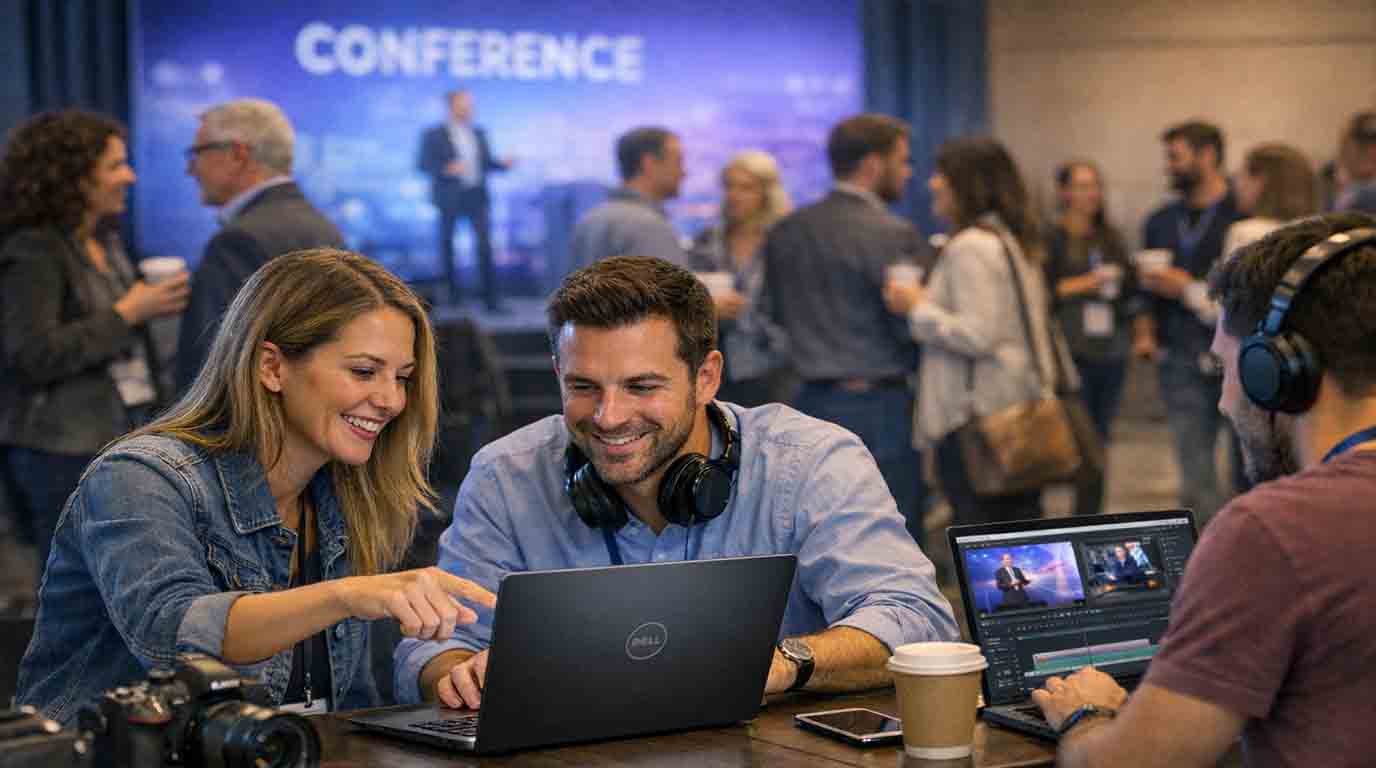
Modern event teams are not just planners. They are content publishers. A single recorded session can become a blog recap, a LinkedIn article, captioned highlight clips, email follow ups, and speaker quote graphics. With reliable meeting transcription tool, you can convert spoken discussions into structured text within minutes. That raw transcript becomes the foundation for every post conference asset you produce.

Quick Summary

  • Recorded sessions can be turned into blogs, captions, and social posts in under 30 minutes.
  • Transcripts make content searchable, editable, and reusable.
  • Fast repurposing extends event reach and improves accessibility.
  • A simple workflow keeps marketing teams consistent and efficient.

Why Recorded Sessions Are Your Most Valuable Asset

Every conference session is packed with expertise. Speakers invest weeks preparing slides and refining talking points. Attendees travel across cities and countries to hear those insights live. Yet many organizers treat recordings as archival material rather than strategic content assets.

That approach leaves attention on the table. A single panel discussion may contain ten quotable insights. A keynote might include three practical frameworks. A workshop could provide step by step instructions that deserve wider circulation. Turning recordings into text allows you to identify and organize these moments quickly.

Strong written content also supports broader strategy. Teams already focused on measuring event ROI know that visibility matters. Searchable articles, shareable quotes, and captioned videos all contribute to long term brand authority. Written summaries increase traffic. Captions increase watch time. Both influence post event engagement metrics.

The 30 Minute Repurposing Framework

Speed is possible when you follow a clear structure. Without one, teams waste time debating format and tone. With a framework, you move from raw file to published asset in half an hour.

Here is a simple breakdown.

1. Export the session recording immediately after the talk ends. Upload it for transcription. This creates a full text draft that captures every spoken word.

2. Scan the transcript for key themes. Highlight strong quotes, data points, and actionable advice. Focus on clarity and relevance rather than copying everything.

3. Draft a structured recap with an introduction, key insights, and a short closing reflection. Keep sentences short. Retain the speaker’s voice while improving readability.

4. Create short video clips from standout moments. Accurate video to text processing helps you align captions precisely with spoken dialogue, making clips easier to edit and distribute.

5. Publish the blog recap, upload captioned clips to social channels, and send a follow up email to attendees with highlights.

This five step cycle is practical. It removes guesswork. Most importantly, it ensures that your best content is not trapped inside a long video file.

Turning Transcripts Into Polished Blog Recaps

A transcript is raw material. It includes filler words, repeated phrases, and side comments. Your task is to shape it into a compelling narrative. Begin with a short introduction that frames the session. Mention the speaker’s role and the main topic. Keep the tone conversational.

Then group insights into themes. For example, if a speaker discusses leadership, innovation, and team culture, create separate sub sections for each. Use clear headings. Insert concise summaries after every major point. Avoid copying slides word for word. Instead, translate spoken ideas into clean, readable paragraphs.

Many event teams already focus on audience engagement strategies. Written recaps extend that engagement beyond the room. Attendees can revisit complex ideas at their own pace. Prospective participants can preview the depth of future events.

Within thirty minutes, you can publish a structured recap that feels thoughtful and professional. That speed builds momentum across your marketing calendar.

Improving Accessibility Through Captions

Accessibility is not optional. It is part of responsible event design. Captions support attendees who are deaf or hard of hearing. They also help viewers watching videos in noisy environments or without sound.

Accurate subtitles improve comprehension. Viewers process information through both audio and text. Research summarized by W3C Web Accessibility Initiative shows that captions enhance usability for a wide range of audiences, not only those with hearing impairments.

Captions also increase watch time on social platforms. Algorithms reward videos that hold attention. When viewers can read along, they are more likely to continue watching. This directly supports your post conference distribution strategy.

What You Can Produce From One Session

It is easy to underestimate the output potential of a single recording. With a transcript in hand, your team can generate multiple assets quickly.

  • Full blog recap with key insights
  • Short social media quote graphics
  • Captioned highlight clips under two minutes
  • Email newsletter summaries
  • Downloadable PDF notes for registered attendees

Notice that each format serves a different purpose. Blog posts attract search traffic. Social posts drive immediate engagement. Emails nurture existing relationships. PDF notes add value to ticket holders.

How This Extends Post Conference ROI

Return on investment is not limited to ticket sales. It includes brand awareness, lead generation, and long term authority. Fast content repurposing influences all three.

Search engines index written content. A well structured recap can rank for speaker names, industry topics, and conference themes. This brings new visitors months after the event ends. Those visitors may register for future editions.

Shareable clips also expand reach. Speakers often repost highlights to their own audiences. Sponsors appreciate additional visibility. Attendees tag colleagues who missed the session. Each interaction multiplies exposure without additional venue costs.

Within half an hour of processing, you move from one live audience to an ongoing digital presence.

Sample 30 Minute Workflow Table

Time Slot Action Outcome
0 to 5 minutes Upload recording for transcription Accurate text draft ready
5 to 15 minutes Highlight key insights and quotes Structured outline prepared
15 to 25 minutes Draft recap and refine language Publish ready article
25 to 30 minutes Create captioned clips and social snippets Multi channel distribution assets

Keeping Your Brand Voice Consistent

Speed does not mean carelessness. Even in a rapid workflow, tone and structure matter. Assign one editor to review all recaps. Provide simple style guidelines. Short sentences. Clear sub headings. Consistent formatting.

Over time, your audience will recognize your recap style. They will expect clear summaries. They will look forward to concise insight sections. This predictability builds trust.

Conference content should feel human. Remove filler. Keep quotes meaningful. Add brief context where needed. Each recap becomes part of a larger narrative about your event brand.

Turning Momentum Into Ongoing Conversation

The final step is distribution. Publish recaps within hours, not days. Tag speakers on social media. Send attendees a curated highlight email. Invite feedback and follow up questions.

Fast turnaround creates relevance. Attendees are still thinking about the session. They are still discussing ideas with colleagues. Your content meets them in that moment.

Over time, this habit changes how your conference is perceived. It becomes known not only for high quality live sessions, but also for clear, accessible, and lasting knowledge resources.

From Stage to Searchable Knowledge

A conference is intense. It is busy. It is full of moving parts. Yet the insights shared on stage deserve more than a single time slot. By committing to a simple thirty minute workflow, you convert fleeting conversations into durable assets.

Transcripts give you clarity. Captions improve access. Structured recaps extend reach. Together, they transform your event into an ongoing knowledge platform.

The next time the applause fades, act quickly. Open the recording. Create the transcript. Shape the recap. Share the highlights. Thirty minutes later, your conference continues to speak.

Conference Prep Countdown The Exact Timeline for Proposals, Flights, and Early-Bird Deadlines

Conference Prep Countdown: The Exact Timeline for Proposals, Flights, and Early-Bird Deadlines

Conference planning rarely fails because of ideas. It fails because of timing. A strong proposal submitted one day late does not get reviewed. A flight booked after prices spike eats into budgets. An early bird ticket missed by hours can add stress that lingers for months. The smartest planners treat time as a moving structure, not a fixed date on a calendar. They measure what has already passed and what still lies ahead.

Every serious conference plan starts with clarity around three questions. How long until the proposal deadline closes. How much time remains before the event begins. How long it has been since registration opened. These gaps define priorities and shape decisions long before anyone steps into a venue.

At a Glance

This article breaks conference preparation into clear countdown phases. It shows how proposal windows, registration periods, and travel planning all depend on knowing exact time spans rather than guessing dates.

Starting With the Clock, Not the Checklist

Most conference timelines begin with tasks. Write proposal. Book flights. Register team. That order looks tidy but hides the real driver. Deadlines move forward whether preparation feels ready or not. Starting with time creates urgency where it belongs and removes panic from everything else.

A proposal deadline five weeks away feels generous until daily work eats into those weeks. Knowing the exact remaining duration changes behavior. A precise countdown turns vague intention into scheduled effort. This is why planners rely on a time from now calculator early in the process. It converts dates into reality.

Proposal Windows and Submission Rhythm

Calls for papers often open quietly. Weeks pass before most people notice. By the time urgency appears, review windows are already narrowing. Tracking how long it has been since a proposal window opened provides context. It signals how crowded the review pipeline may already be.

A submission sent early gains breathing room. Reviewers read with more attention. Revisions remain possible. Late submissions compete with volume and fatigue. Time awareness encourages earlier drafts and calmer edits.

  1. Identify the official proposal opening date.
  2. Measure how much time has passed since that opening.
  3. Count the remaining days before closure.

Spacing these steps across days instead of hours leads to clearer writing and stronger positioning. Many planners refine their drafts using principles from proposal engagement assessment, well before submission pressure builds.

Registration Phases and Price Psychology

Registration is more than a payment step. It signals commitment. Early bird phases exist to reward decisiveness. Missing them rarely changes attendance but almost always changes cost. Understanding how long it has been since registration opened helps teams judge whether prices are likely to rise soon.

If registration opened months ago, demand patterns are already forming. Hotels begin filling. Workshops reach capacity. Late registration creates friction that spills into travel and accommodation planning.

Clear timing also improves internal communication. Teams respond better to statements grounded in time rather than emotion. Saying registration closes in nine days creates focus. Saying soon does not.

Flight Booking Windows That Protect Budgets

Flights sit at the intersection of time and money. Book too early and schedules may shift. Book too late and prices climb fast. The optimal window depends on distance, season, and destination.

Counting down to the event start date anchors flight decisions. International conferences require wider buffers. Regional events allow more flexibility. The key is measuring exact intervals instead of relying on instinct.

Travel TypeIdeal Booking WindowRisk if Delayed
International long haul8 to 12 weeks before eventSharp fare increases
Regional flights4 to 6 weeks before eventLimited seat choice
Domestic travel2 to 4 weeks before eventHigher peak pricing

These windows are easier to manage when aligned with session layouts and arrival flows described in efficient conference scheduling.

Counting Down to the Event Start

The moment the event date is fixed, a new countdown begins. This clock governs everything that follows. Speaker preparation. Travel documents. On site materials. Each task ties back to the same endpoint.

Measuring how long until the event starts shifts planning from abstract to tangible. A six month horizon allows experimentation. A three week horizon demands execution. Knowing where you stand prevents unrealistic planning.

This awareness also helps attendees pace energy. Packing lists feel lighter when spread across time. Rehearsals feel less forced when scheduled earlier.

Time Blocks That Reduce Stress

Breaking preparation into time blocks creates rhythm. Each block serves one purpose. Proposal writing ends before travel planning begins. Registration confirmation closes before presentation polish starts.

This separation reduces overlap fatigue. It also creates checkpoints that feel achievable. Instead of one overwhelming timeline, planners work through clear phases.

  • Proposal phase with submission buffer.
  • Registration confirmation phase.
  • Travel booking and logistics phase.
  • Content rehearsal and material prep phase.

Well defined blocks align closely with approaches discussed in conference time management, where pacing often determines outcomes more than raw effort.

Why Exact Timing Beats Memory

Serious events rely on shared structure, not personal reminders. Large conferences follow formal planning cycles that define when proposals close, when registrations stabilize, and when logistics must lock in. This kind of discipline mirrors established event planning standards, where timelines exist to reduce risk and avoid last minute decisions.

Memory fades. Emails get buried. Dashboards refresh daily. Exact time measurement cuts through noise. It removes reliance on recall and replaces it with facts.

Turning Countdowns Into Confidence

Time awareness creates calm. Knowing where you stand removes second guessing. A clear countdown turns preparation into a sequence rather than a scramble.

Conference success often appears effortless from the outside. Behind that ease sits careful timing. Proposals sent with days to spare. Flights booked before prices jump. Registrations confirmed without rush.

Treat time as a partner. Measure it. Respect it. Let each countdown guide your next move with confidence rather than pressure.

Selecting Meeting Planner Tools for Executive Events

Selecting Meeting Planner Tools for Executive Events

Planning an event for top-tier executives presents a unique organizational challenge. Whether it is a leadership summit, an investor conference, or a board meeting, the expectations are exceptionally high. Every detail must be flawless, and this standard of excellence extends directly to the digital tools you use. The technology behind the event should be seamless and sophisticated, working quietly in the background. A dedicated online meeting planner is not just an administrative helper; it is a strategic asset for creating a smooth experience.

Many standard schedulers are simply not equipped for this task. They lack the robust security, deep personalization, and brand integration needed for a high-stakes gathering. Choosing the right platform directly impacts the success of your event and the impression you leave on your most important attendees.

A Quick Overview

This article outlines the key criteria for selecting a meeting planner tool for executive events. We will cover the core requirements of personalization and security that these events demand.

We will also compare different categories of planning tools, from simple schedulers to comprehensive platforms, to help you understand which is right for you. Finally, we will highlight specific features to prioritize and discuss the critical importance of data security and compliance.

Core Requirements for Executive-Level Planning

When selecting a tool, the focus must shift from basic scheduling to delivering a comprehensive, high-touch experience. The platform you choose becomes an extension of your event’s brand, and it needs to meet several core requirements.

Deep Personalization Capabilities

Executive attendees are not a monolithic group. They have unique schedules, specific dietary needs, and distinct travel preferences. A suitable meeting planner tool must go beyond generic registration forms. It should allow you to manage complex, individualized itineraries for each VIP. This includes scheduling one-on-one meetings, coordinating ground transportation, and noting personal preferences that make the attendee feel uniquely valued. The goal is to provide a concierge-level service through a digital interface.

Understanding Executive Expectations

The digital experience you provide must reflect the premium quality of the event itself. It is helpful to understand certain executive attendee preferences; these leaders expect the digital tools they use to be as intuitive, efficient, and reliable as the high-end gear they use daily. Any friction in the app, a confusing registration process, or a clunky interface can detract from the event’s prestigious atmosphere and cause unnecessary frustration. The technology must be seamless and invisible, allowing the focus to remain on the event’s content and connections.

Uncompromising Security and Discretion

For executive events, security is not just a feature; it is a fundamental necessity. The attendee list often includes high-profile individuals, and their personal and professional information is highly sensitive. The right tool must offer uncompromising security, including end-to-end data encryption, secure login protocols, and robust measures to protect against data breaches. Discretion is paramount, and your chosen platform must guarantee the privacy and protection of every participant’s identity and information.

Robust Communication and Support

When a last-minute change occurs, you need to communicate it instantly and discreetly. A proper planner tool should provide dedicated support channels and real-time notification capabilities. The level of service required from the software provider is similar to the high-touch approach needed when attracting high-profile speakers. Every query must be handled swiftly and professionally, ensuring that both planners and attendees have a reliable support system to turn to at any moment.

A Comparative Look at Meeting Planner Tools

The market for meeting planner tools is vast. For executive events, it’s useful to analyze the popular “Scheduling Assistants” to understand their specific roles and limitations. These tools are excellent for coordinating schedules but are not designed to manage an entire event.

The table below compares five common scheduling tools and their suitability for components of executive event planning.

ToolBest Use CaseKey StrengthsLimitations for Executive Events
Meetin.gsFinding the best time for a group meeting where participant privacy is a priority.Simple polling event creation, visual availability grid, and optional password protection for anonymous and secure participation.Designed for scheduling a single meeting, not for managing a full event with registration, itineraries, or mobile app features.
CalendlyScheduling one-on-one meetings with external VIPs, speakers, or sponsors.Professional interface, seamless calendar integration, automated workflows and reminders.Not designed for group events or complex itineraries. Lacks overall event management features.
DoodleFinding the best time for a small group meeting, like a pre-event committee sync.Simple and widely recognized poll-based system for finding common availability.Can appear informal. Public polls lack the privacy needed for high-profile attendee lists.
When2MeetQuick availability checks for small, internal teams where speed is the priority.Extremely simple visual grid interface that is very fast to use.Lacks a professional look for external use. Offers no features beyond the availability grid.
Microsoft BookingsScheduling appointments for organizations heavily invested in the Microsoft 365 ecosystem.Deep integration with Outlook and Teams calendars; customizable booking pages.Can be less user-friendly for those outside the Microsoft ecosystem. Still an appointment scheduler, not an event platform.

The Need for a Full Platform

As the comparison highlights, while these five tools can expertly handle specific scheduling tasks within a larger event, none provides a complete solution. A full executive event requires a single, secure platform to manage registration, security, complex personalized itineraries, and attendee data. This is where a comprehensive event management platform becomes essential, acting as the central command center for all logistical and communication needs.

Key Features to Prioritize in an Executive Event Tool

When evaluating comprehensive platforms, certain features become critical for ensuring a smooth and secure executive experience.

Granular Access Control and Permissions

An executive’s schedule is often managed by an assistant. The event planning team also has different roles and responsibilities. A high-quality tool allows for granular access control, meaning you can set different viewing and editing rights for staff, executives, and their assistants. This ensures that sensitive information is only visible to those who need to see it.

Dynamic Itinerary Management

The schedules of top executives can change at a moment’s notice. Your planning tool must be agile enough to handle these shifts effortlessly. Dynamic itinerary management allows you to create and modify personalized schedules for each VIP attendee in real-time, with updates pushed instantly to their mobile devices.

Mobile Concierge Features

For attendees, the mobile app is the event. It should provide a premium experience that feels less like a generic event app and more like a personal concierge. As our modern event technology guide explains, a successful app integrates multiple functions seamlessly. This includes everything from travel updates and venue maps to secure messaging and one-click access to support, all designed to make the attendee’s experience as smooth as possible.

Sophisticated Reporting

After the event, you will need to demonstrate its success. A good platform provides sophisticated reporting and analytics on attendance, session engagement, and other key metrics. For executive events, this must be balanced with the need for privacy. The tool should allow you to generate valuable insights while upholding the strictest standards of attendee confidentiality.

Data Security and Compliance: A Non-Negotiable Priority

In today’s digital world, data security cannot be an afterthought. For events with an international audience, it is a legal and ethical obligation.

Protecting Sensitive Information

When your attendees include executives from around the globe, compliance with data privacy regulations is not optional. You must ensure your chosen tool adheres to strict standards like the General Data Protection Regulation (GDPR) to safeguard the personal information of your participants. Adherence to these standards protects your attendees and your organization from significant legal and financial risk.

Vetting Vendor Security Policies

Before committing to a platform, thoroughly review the vendor’s security protocols. Ask detailed questions about their data storage practices, encryption standards, and breach notification procedures. A reputable provider will be transparent about their security measures and should be able to provide clear documentation of their compliance and certifications.

Making the Right Choice for Your Event

Ultimately, selecting a meeting planner tool for an executive event is about more than just features. It is about choosing a partner that understands the unique demands of a high-stakes environment. The right platform will blend sophisticated personalization, uncompromising security, and seamless integration into a single, reliable solution. By carefully assessing your needs and prioritizing the security and experience of your attendees, you can choose a tool that not only simplifies your planning process but also elevates the quality of your event.

Choosing the Right Camera for Event Coverage

Choosing the Right Camera for Event Coverage

Selecting a camera for large events shapes every story you share with the world. The shooter controls the moment, but the camera body, lens, and workflow can make production smooth or slow. At conferences, expos, trade shows, galas, and launches in different cities, lighting and pace change within seconds. With the right gear, the brand message stays clear and the audience remains engaged.

Quick Content Summary

This guide outlines the key factors in choosing a camera for event coverage in the global market. It discusses sensor size, autofocus, video features, low-light performance, lens options, and field durability.

It also includes advice on media and connectivity for fast delivery, a brief comparison of mirrorless and DSLR systems, practical examples from different cities, and a clear reminder for making better choices.

Why the Camera Matters in Event Coverage

Events are live. There is no second take for stage lighting, leader handshakes, or the turnout of thousands of guests. If focus fails or the body overheats, the story suffers and costs rise. A system must run for long periods, switch from photo to video instantly, and produce files ready for quick processing. In many countries, clients expect highlights within an hour. The right camera reduces stress and improves output quality.

Types of Cameras and Their Strengths

Teams worldwide often choose between mirrorless, DSLR, and cinema cameras. Mirrorless units are lightweight, have fast autofocus, and feature silent shutters ideal for award segments and panel discussions. DSLRs remain popular for their durability and wide pre-owned lens availability. Cinema cameras excel when professional codecs, multiple connections, and long rolling times are needed for master feeds.

Many crews combine systems. A mirrorless body may handle photos and hybrid clips, while a cinema unit covers keynote wides and the main program. The key is assigning clear roles for each unit before the event begins.

Sensor Size and Its Impact

Full-frame sensors perform well in low light and offer shallow depth of field. APS-C sensors are lighter and provide extra reach for stage coverage without extremely long lenses. Micro Four Thirds systems feature compact lens line-ups and strong stabilization.

Choose based on the venue. Large halls benefit from crop bodies to extend the reach of a 70–200mm lens, while dim ballrooms favor larger sensors. Remember that higher resolution means larger file sizes and longer processing times.

Autofocus and Real-World Movement

Events move fast, and speakers won’t repeat their actions. Fast, accurate autofocus with subject tracking and eye detection is essential. Test performance on backlit stages and in dim expo corners. Many bodies offer blackout-free views and high burst rates, helpful for ribbon cuttings and award moments. In quiet segments, electronic shutters prevent distraction.

For long movements such as entrance walks, plan focal lengths and movement paths. If gimbals are not allowed among the audience, use a monopod and steady breathing to achieve smoother shots.

Video Features for Live and Post Production

Live streaming and post-produced content have different requirements. For live, look for clean HDMI or SDI outputs, long record limits, and stable external power options. For post, prioritize 4K or higher resolution, 10-bit recording, and log profiles for greater color grading flexibility.

Watch for rolling shutter effects, especially during fast pans across LED walls. In-body stabilization and proper rigging help when moving quickly between stage, breakout rooms, and media lounges. For multi-camera setups, sync with timecode or use a clap and slate at each segment start.

Low Light and Dynamic Range

Venue lighting varies greatly. Stages may be bright while the audience remains dim. Choose a body with clean high ISO performance and enough dynamic range to avoid blown highlights. Dual native ISO makes switching from keynote to evening networking easier.

Lens choice is equally critical. Fast primes excel in portraits and sponsor booths, while bright zooms handle mixed lighting. In cities like Berlin or Dubai, setup time may be short, so a body that delivers clean files in minimal light is invaluable.

Lens Ecosystem and Budget Planning

A system is incomplete without the right lenses. Three core types are essential: wide for venue and crowd shots, standard zoom for general scenes, and telephoto for stage coverage. Add a fast prime for portraits and low-light conditions.

In global productions, consider rental availability in cities like New York, Tokyo, London, and Dubai. Choose mounts with a broad lens selection, both new and pre-owned. Include accessories like variable NDs, circular polarizers, and sturdy lens hoods. In your budget, factor in insurance and maintenance alongside the body cost.

Media, Connectivity, and Workflow

Cards, file systems, and transfer speeds are critical. Check the bitrate and format you plan to use. For 4K 10-bit recording, you’ll need high write-speed cards with reliable controllers. Dual card slots allow simultaneous backups.

Create a client-appropriate file naming system, such as YYYYMMDD_Event_Session_CamA. For rapid delivery, use wired LAN or stable Wi-Fi to auto-transfer selected shots to the editor. Prepare FTP presets and cloud profiles. Use checksum verification during ingest, and never format cards until two complete copies exist on separate drives.

Power, Battery, and Thermal Management

Event days are long, and venues aren’t always cool. Select a body that’s power-efficient and capable of continuous recording. Carry multiple original or high-quality batteries and a fast charger. For locked-off stage cameras, use dummy batteries with AC power.

Avoid blocking ventilation when using cages. In warm halls, schedule short breaks between long clips. Test the full setup before travel to identify heat or time limits. Bring a small fan if the venue allows.

Reliability and Service Network

Accidents happen. Rain can drench a rig outside a convention center, or an operator might slip in a crowd. Choose a brand with a global service network and quick parts replacement. Check for weather sealing and rated shutter life.

On major projects, each shooter should have two bodies for backup. Schedule firmware updates and test new features before departure. A reliable system may go unnoticed, but it ensures the highlights are delivered on time.

Audio Integration and Stage Feeds

Strong visuals mean little if audio is unclear. In panels and keynotes, sound clarity is the viewer’s first impression. Select cameras with quality preamps and manual level controls.

Carry lavaliers for quick interviews and shotgun mics for ambient or host stand-ups. When accessing a stage feed, find the correct output from the audio console and use an attenuator to prevent clipping. Monitor through headphones and, if possible, add a safety track. For critical messages, have a backup recorder ready.

Color Management and Matching Multiple Bodies

Color shifts are common when mixing cameras and venue lighting. Begin each session with a slate shot including a color chart and white balance card. Log profiles and exposure settings per unit.

During grading, match exposure first, then white balance, and apply creative looks last. For photos, use a neutral preset adaptable to different lights. For video, log profiles work well if grading time is available, while Rec.709 is best for fast turnaround.

Quick Mirrorless vs DSLR Comparison

  • Mirrorless: Fast autofocus and tracking, often lighter, silent shutter for quiet ceremonies
  • DSLR: Familiar handling, wide pre-owned lens market, often very durable
  • Viewfinder and Battery: Optical viewfinders in DSLRs save power, mirrorless offers real-time exposure previews
  • Video: Mirrorless models typically have newer video features, including 10-bit options and broader codec support

Example Setups by Venue and Purpose

For a keynote in a large New York hall, use a full-frame with a 70–200mm for the stage and a second body with a 24–70mm for audience reactions. At a Tokyo trade show, a lightweight APS-C with a 16–55mm works for booth walk-throughs, with a 35mm prime for quick speaker portraits.

For an outdoor Dubai award night, bring a weather-sealed body and stabilized telephoto lens to handle shifting wind and light. In a London press briefing, set one camera as a fixed wide and have another capture close-ups and interactions.

If using a new body, dedicate a day for muscle memory. Assign custom buttons for ISO, white balance, and photo/video switching. Set recall modes for stage, audience reactions, and interviews. On the event day, menus stay simple, movements quick, and the team stays efficient.

The best camera suits the real demands of the event. Evaluate the venue, lighting, subject distance, operation hours, and delivery speed. Match sensor, autofocus, lens, and codec to the plan. Prepare media, connectivity, and backups to avoid mid-program failures.

Allocate time for pre-travel tests and assign clear roles for each unit on event day. Well-planned setups make crews more efficient and stories clearer for audiences worldwide.

Plan the post-event handover as well. Prepare metadata, organize folders, and secure two backups before leaving the venue. With disciplined workflow, approvals come faster, and the content pipeline stays smooth for the next project anywhere in the world.

Securing Event Registrations with Confidence

Securing Event Registrations with Confidence

A successful event begins with a smooth and secure registration process. This is where the trust of attendees, sponsors, and partners is built. A calm, clear registration flow leads to higher form completion, fewer support questions, and earlier insights into actual attendance numbers. If you’re collecting sensitive attendee details, it’s a good idea to generate a strong password to protect your system access. In a global setting where languages, currencies, and data laws vary, carefully designed registration is the bridge between interest and participation.

Quick Summary A seamless registration experience builds trust and increases attendance. This article explains how to simplify forms, secure data, clarify payments, and prevent fraud. It covers mobile-first design, accessibility, system performance, customer support, and how to build long-term trust through transparency and respect for data privacy.

Why Strong Registration Matters Globally

Registration is the first real handshake between your event and its audience. If the experience is smooth, people feel confident sharing their information and making payments. Confusing forms or unclear pricing cause drop-offs. For organizers, accurate registrant data informs plans for the venue, supplies, and agenda. For sponsors and auditors, solid data supports funding and approvals.

Picture a virtual summit with attendees from five continents. Languages, currencies, and time zones vary. A simple, secure, and clear form helps people complete registration quickly. Otherwise, ad spending is wasted, and team time is lost.

Building Trust from the First Click

Start with a clear registration page. Show essential details: date, time with time zone, location or platform link, and a brief agenda overview. Use plain language. Create a layout with good spacing between sections. Avoid lengthy initial forms.

Include short but complete refund and ticket transfer policies. Explain how discount codes work and if limits apply. Show total costs upfront including taxes and fees before final payment. This level of clarity eases concerns and reduces cancellations.

Security at Every Step

Use SSL to encrypt data from start to finish. Choose a trusted payment gateway that follows standards like PCI DSS. Never store full card details on your servers. Apply tokenization and 3D Secure 2 when possible for fraud protection.

Implement rate limits and bot protection. Use modern human verification that doesn’t frustrate users. For free events vulnerable to spam, use email verification or one-time codes. If accounts are required, allow single sign-on from major providers for better safety and ease.

Privacy with Clear Consent

Keep data collection minimal. Ask only for information needed to issue a ticket. Separate consent for marketing from transaction consent. Show how and where data is used. In regions with strict privacy laws, explain how access and deletion requests are handled. Be careful with vendors and ensure clear agreements for data processing.

Smooth Payments Without Barriers

Offer region-appropriate payment methods. Some prefer cards; others use digital wallets. For B2B, include invoice and bank transfer options. Show currencies and estimated conversions. Do not hide taxes or fees. Transparent costs reduce buyer hesitation.

Keep steps brief before issuing a receipt. Avoid repeated data entry. If there’s an error, offer clear messages and easy retries. Upon success, send confirmation and receipt immediately.

Reducing Drop-offs and No-shows

Use progress indicators for long forms. Try progressive profiling: get key info first, then extras like workshop choices. Offer save-and-resume for corporate attendees who need internal approval. Use auto-fill and proper field formats to prevent errors.

After registration, send an email with a calendar file. Include venue maps, session change instructions, and ID requirements. Schedule reminders like two weeks before, three days before, and on the day. For virtual events, share a test link to check audio and connection.

Preventing Fraud and Misuse

Open registration attracts both genuine and suspicious users. Guard against velocity attacks. Flag disposable email domains for review. Limit coupon code use by email or company if needed. For high-ticket items, use thorough verification before issuing badges or QR codes.

For chargebacks, log IP addresses, timestamps, and receipts. Use AVS and CVV if supported. Good records help during disputes.

Accessibility and Inclusion

Registration must serve everyone. Use clear labels and alt text. Ensure color contrast and readable font sizes. Avoid components that screen readers struggle with. Skip strict timeouts unless necessary. Provide a language toggle. Add fields for accessibility or dietary needs if meals are offered.

Mobile-first Experience Design

Many register via phone. Design forms with mobile users in mind. Use proper keyboards for numbers, dates, and email fields. Avoid small buttons. Ensure fast loading, even on slow connections. Test thoroughly across screen sizes to reduce input errors.

Internal Safeguards for Organizers

Security isn’t just external. Within your system, use role-based access. Grant permission only where needed. Log changes to registration lists. Use two-factor authentication for admins. Test in a staging environment before releasing new fields or pricing logic. Maintain regular backups and clear runbooks for emergencies.

Handling Traffic Spikes Smoothly

Traffic surges during announcements. Use content delivery networks and caching for static assets. Set up autoscaling or prepare extra server capacity. For major launches, virtual waiting rooms help prevent crashes. Test the full user flow with load simulations before launch day.

Displaying Credibility and Social Proof

Show confirmed speakers and top partners who’ve approved logo use. Share testimonials only with permission. Publish refund policies and session recording terms. Clear details provide comfort for undecided participants.

Stories from the Field

A tech event in Europe reduced drop-offs by shortening its first page. More users completed the form when personal data wasn’t required upfront. Optional details were collected after payment for matchmaking purposes.

In South America, a sports conference clarified group registration policies. It detailed per-group discounts and added strong manager verification. Misuse dropped and invoice approval sped up.

In Africa, a social forum added SMS reminders along with email. More people joined live sessions thanks to the phone alerts. In Asia, a fintech summit used 3D Secure 2 and manual review for premium tickets. Chargebacks fell without slowing regular payments.

Simple Ticket Pricing Structure

Use clear tiers: standard, student, and corporate. Show what each includes, like workshop access or materials. Avoid overwhelming users with too many options. For early bird rates, show cut-off dates clearly. Mention policies for name transfers or session changes.

For enterprise bulk purchases, offer easy invoicing with clear terms. Share the account manager’s contact for fast questions and approval. Smooth processes help finance teams release funds efficiently.

Using Data for Improvement

Analytics reveal where users drop off. Track page views to form starts, form starts to completion, and completed forms to successful payment. Monitor refund and chargeback rates. Use privacy-conscious tracking with clear user consent. Keep A/B tests simple and goal-driven.

Review support queries. If people ask about time zones repeatedly, reposition that info. If address errors occur often, improve field instructions.

Seamless System Integrations

Connect smoothly with your CRM, email tool, and event app. Proper integrations reduce manual work and errors. Set up clear field mapping and sync rules. For waitlists, send invites automatically when seats open. Sync QR codes securely and on time for badge systems.

Reassuring Customer Service

Offer clear support channels: email, chat, or phone. Share response hours. Build an easy-to-read knowledge base. Provide templates for refunds, transfers, and receipts. If delays or issues arise, send honest updates and clear action plans.

Practical Principles Any Team Can Use

Start with clarity. When value and offerings are clear, doubt decreases. Next, reduce friction. Limit fields, request only necessary data, and organize steps logically. Strengthen safeguards with technical and manual reviews. Clarify final costs and automate receipts.

Respect privacy. Separate marketing consent and avoid collecting excessive personal details. Prepare for traffic surges. Test system limits before big announcements. Most importantly, measure and improve. Regular data review and user feedback drive better outcomes.

Cultivating Organizational Trust

Technology is only part of the solution. When your team understands data safety and privacy, operations improve. Provide regular training. Teach how to resolve complaints, report suspicious activity, and respond to privacy concerns. Assign clear ownership of each step from the landing page to badge printing.

Adapting to Languages and Markets

A single version won’t suit all global audiences. Translate carefully. Avoid complex technical terms. Format dates, addresses, and numbers based on region. Support local payment methods. For time zones, show both local and event times to reduce confusion.

Supporting Online and Hybrid Formats

In online and hybrid setups, tickets include access links. Secure them with per-attendee tokens. Limit simultaneous logins for sensitive sessions. Provide a test room and guide ahead of time. For hybrid events, explain the differences in access for virtual vs. on-site attendees. Outline change policies for those shifting formats.

Managing Capacity, Waitlists, and Changes

If seating is limited, display real-time counts. When full, show the waitlist and how invites are sent. When unexpected changes happen, send concise updates to affected participants. Offer alternate sessions or replays if possible. Use time-limited holds on workshop slots to avoid monopolization.

Choosing Scalable Tech and Architecture

Select platforms with audit logs, flexible field builders, and strong APIs. Modular systems adapt better to new tools. Avoid vendor lock-in unless necessary. Define data retention and deletion policies early. With a strong foundation, you’ll handle growth and regulation changes more easily.

Ethical Communication and Transparency

Be truthful about seat limits, attendee experience, and any recording plans. Don’t use misleading countdowns unless seats are actually expiring. Keep emails short and clear. Avoid excessive reminders or fear-based messaging. Aim for peace of mind, not pressure.

Common Pitfalls and Fixes

One common error is overloading the first page. Fix it by splitting forms and prioritizing key fields. Another is unclear pricing. Add cost summaries before payment and use tooltips to explain. Time zone issues? Send proper iCal and Google Calendar files. Weak post-payment communication? Create helpful email sequences with next steps and contact info.

Maintaining Post-event Relationships

Trust doesn’t end with the final session. Send thank-you emails and short feedback forms. Share materials if allowed. Explain how users can delete or export their data. Proper aftercare builds loyalty and referrals.

Thoughtful registration isn’t magic. It’s a series of people-centered decisions that respect data, save time, and build trust. When the process flows well from first click to confirmation, trust grows and with it, stronger attendance and better experiences for everyone.