Your cart

How to Add Golf to a Corporate Event Without Excluding Beginners

How to Add Golf to a Corporate Event Without Excluding Beginners

Golf has long been associated with business relationships, client hospitality, and relaxed networking. That makes it tempting for conference planners to build a golf component into a corporate event. The problem is obvious the moment the idea reaches a wider attendee list. Some guests play every month. Some have never held a club. Some may be interested but worry they will look awkward in front of colleagues or clients. If the format is wrong, golf can stop feeling like a smart networking activity and start feeling like a private club hidden inside a public event.

The good news is that this is mostly a design problem, not a golf problem. A corporate event does not need to mimic a traditional full round played by experienced golfers. It can be shaped around comfort, pacing, conversation, and choice. In a city like Singapore, where golf can be approached through driving ranges, short clinics, beginner lessons, simulator sessions, and casual social formats, planners have more flexibility than they might think. A practical Singapore golf guide can help event teams understand the difference between these formats before they build one into an agenda.

Quick Summary

  • Golf works best at corporate events when it is optional, social, and clearly beginner friendly.
  • Driving range sessions, short clinics, and team challenges are usually better than a full 18 hole round.
  • Clear communication matters. Attendees should know dress expectations, time commitment, skill assumptions, and equipment arrangements in advance.
  • Strong event design protects beginners from embarrassment and gives experienced golfers enough room to enjoy themselves too.
  • The goal is not to turn everyone into a golfer. The goal is to create a relaxed setting for conversation and connection.

Why golf can work surprisingly well at a business event

Conference schedules are often packed with panels, breakout sessions, coffee breaks, sponsor conversations, and evening receptions. That structure can be productive, but it can also flatten every interaction into the same rhythm. Golf changes the pace. It gives people a shared activity, some movement, and a natural reason to spend time together without forcing constant eye contact across a small cocktail table. Conversation often feels easier when people are walking, watching, laughing at a bad shot, or learning something new together.

That matters for networking because strong professional relationships are rarely built through formal introductions alone. They grow in spaces where people can talk without feeling rushed. Golf creates those spaces well, especially in smaller groups. A client, sponsor, speaker, or internal team member may remember the event not because the ball striking was impressive, but because the environment made the interaction feel human. That is the real value of adding golf to a corporate program.

Still, golf has baggage. It can signal exclusivity, cost, tradition, and insider culture. That is exactly why event planners need to handle it carefully. The objective should not be to stage a golf event and hope beginners adapt. It should be to design a networking experience that happens to use golf as the backdrop. Once that mindset shifts, the planning decisions become much clearer.

The first rule, build for the least confident attendee

If you want a golf activity to feel inclusive, do not start by asking what a confident golfer would enjoy most. Start by imagining the attendee who is curious but uneasy. They may be a junior employee joining a client event for the first time. They may be an international delegate who did not pack golf attire. They may be worried about being the only beginner in a room full of senior executives. They may simply not want to spend four hours feeling out of place.

That attendee needs psychological safety before they need a club in hand. They need to know they will not be judged, slowed down, or left standing around while others speak a language they do not understand. If your event format protects that person, you usually end up with a better experience for everyone else too. Experienced golfers still get a social activity. Beginners get a soft landing. The event becomes more welcoming without losing its professional value.

This principle also aligns neatly with the broader push toward more inclusive event design. Corporate gatherings increasingly pay attention to accessibility, comfort, cultural awareness, and different personality types. A golf session should be treated the same way. It is not a side activity that escapes the normal standards of attendee experience. It is part of the event, which means it should be planned with the same care as registration flow, session timing, food, transport, and room setup.

Choose the right golf format, not the most traditional one

The biggest mistake planners make is assuming that “adding golf” means booking a full round on a championship course. For a mixed ability corporate crowd, that is often the worst starting point. It takes a long time, requires more confidence, and increases the risk that beginners feel exposed. It also makes logistics harder, especially if the golf activity sits alongside a conference timetable. A better approach is to choose a format based on the event’s networking goal, the attendee mix, and the amount of time available.

Here are the formats that usually work best for beginner friendly corporate events:

  1. Driving range social session
    Guests hit balls in their own bay or shared lane, often with food and drinks nearby. This is one of the easiest options because people can participate casually, stop and chat, and take turns without pressure.
  2. Beginner clinic with a coach
    A golf professional teaches grip, stance, and a few simple swings. This works well when many attendees are new to the sport and need structure. It removes the feeling that everyone should already know what to do.
  3. Team challenge or skills game
    Think closest to the target, putting challenges, or simple points based games. This creates energy without demanding a full round or advanced technique.
  4. Short course or executive course outing
    If your audience wants on course play, a shorter course is often better than a full championship layout. It lowers the time commitment and makes the session feel less intimidating.
  5. Golf simulator experience
    Useful for indoor corporate venues, evening networking events, or weather backup plans. Simulators can feel modern and social, especially for mixed groups.

Notice what these options have in common. They reduce exposure, shorten the learning curve, and leave room for conversation. That is exactly what a corporate event needs. If you are already thinking about attendee flow and venue fit, the same mindset used in business networking event planning applies here too. The activity should support the event, not hijack it.

Set expectations early, because uncertainty is what makes beginners nervous

People are much more open to trying something unfamiliar when they know what they are walking into. A vague invitation that says “Join us for golf networking” can create more anxiety than excitement. Attendees may wonder whether they need their own clubs, whether they are expected to keep score, whether the session is only for golfers, how long it lasts, or whether they will look underdressed if they arrive in standard conference clothes.

Your event communications should answer those questions before anyone has to ask. This is where thoughtful copy can make a big difference. Instead of presenting golf as a skill based activity, frame it as a relaxed optional experience designed for all levels. Tell attendees whether equipment is provided. State the time commitment clearly. Mention if coaches will be present. Explain whether the session involves a driving range, a beginner clinic, or a light team challenge rather than a formal competitive round.

Even small details matter. If there is a dress code, say exactly what it is in plain language. If sports shoes are acceptable, mention it. If transport is arranged from the conference venue, make that visible. If non golfers are welcome to join for food, conversation, and light participation, say that too. The less guesswork there is, the more likely hesitant attendees are to opt in.

Make participation optional, but make opting in feel easy

Inclusive design does not mean forcing everyone into the same activity. In fact, one of the best ways to keep golf welcoming is to avoid treating it as the central test of event engagement. If attendees feel they must join or miss the real networking, beginners may attend while feeling trapped. That is not the atmosphere you want. Golf should be a genuine option, not a hidden obligation.

The best event programs make room for different energy levels and interests. You might offer a golf clinic in the late afternoon alongside a separate lounge based networking track, a wellness activity, or a hosted small group discussion. That way, attendees can choose the environment where they will be most comfortable while still getting value from the event. Choice reduces social pressure, and reduced pressure makes golf more approachable.

At the same time, do not bury the golf option under vague language. Make it sound inviting and easy to join. A line like “No golf experience needed, equipment provided, beginner coaching included” does far more work than a generic “corporate golf networking session.” It reassures the exact people who are most likely to hesitate.

Structure the session around conversation, not performance

Corporate golf should not feel like a sporting exam. It should feel like a social environment with an activity layered on top. That distinction changes how you set up the entire session. If the event revolves around who hits the longest drive or who keeps the best score, beginners will immediately feel the gap. If it revolves around light instruction, mixed teams, laughter, and rotating conversation, the pressure drops.

One simple tactic is to keep the activity stations short and varied. A 90 minute range session, for example, might include a welcome drink, a 15 minute beginner demo, 30 minutes of guided practice, a team target challenge, and plenty of time between food and conversation. That feels more like a networking event than a lesson. It also gives experienced golfers enough freedom to enjoy themselves without dominating the room.

Another useful tactic is to mix seating and standing zones. Not everyone wants to swing for an hour. Some guests may prefer to watch, talk, and join in occasionally. Comfortable lounge seating near the bays or putting area helps the event feel open to different participation styles. It turns golf into a social setting rather than a performance stage.

Use hosts and coaches to lower the social temperature

Beginners often worry about the tiny details. How do I hold the club? Where do I stand? What if I miss the ball? Those worries may sound minor, but they can stop someone from joining at all. Good hosts and coaches remove that friction quickly. A warm instructor who normalizes beginner mistakes can transform the tone of the session within minutes.

For that reason, a corporate golf activity should not be left to chance. If the format involves first timers, bring in coaches who are comfortable teaching adults in a social environment. Their job is not only technical. It is emotional. They help people feel at ease, keep the pace moving, and give the room permission to be playful. That matters far more than detailed swing advice.

Internal hosts also matter. Event staff or company representatives should actively welcome beginners, introduce people to one another, and keep the atmosphere balanced. If senior leaders or key clients are attending, brief them in advance on the tone you want. A beginner friendly session works best when the most confident people in the room understand that the goal is connection, not golf status.

Think carefully about group composition

The way you group people can either make a golf session feel easy or painfully self conscious. Putting all beginners together can sometimes help, especially in a coaching clinic where everyone is learning the basics. In other settings, though, it may make the activity feel segregated, as if the “real golfers” are elsewhere having the proper experience. A mixed format is often stronger, as long as it is managed well.

Try building groups with a blend of confidence levels, job roles, and social styles. Pair a couple of relaxed experienced golfers with beginners who are open to trying. Avoid placing a nervous first timer in a small group dominated by highly competitive players. Think about relationship chemistry too. A client team, a sponsor group, or a mix of delegates from different companies may all require slightly different hosting.

This is where event planning becomes part logistics and part psychology. You are not only filling tee times or range bays. You are curating social conditions. The same judgment that helps planners choose inclusive conference experiences is useful here. Consider confidence, comfort, conversation flow, and who might need a gentler introduction to the activity.

A simple planning framework for beginner friendly corporate golf

If you are evaluating whether golf fits your event, use a practical framework rather than relying on instinct. Ask four questions.

1. What is the business purpose of this session?
Is it client hospitality, team bonding, sponsor engagement, or a softer networking space during a conference? The answer affects format, timing, and tone.

2. What proportion of attendees are likely to be beginners?
If half the room has never played, do not build the event around assumptions that people understand golf etiquette or scoring.

3. How much time do you actually have?
A 75 minute conference add on and a half day client event are completely different planning problems. Choose a golf format that respects the clock.

4. What would make a hesitant attendee say yes?
This question often reveals the answer. Coaching, provided equipment, casual dress, short duration, and team based games all reduce the barrier to entry.

Using this framework also helps with budget decisions. A smaller, well designed clinic can outperform a more expensive traditional golf outing if it gets better participation and creates stronger conversations. The best option is not always the most prestigious one. It is the one that fits the people in the room.

What to include in the attendee briefing

A good briefing does not need to be long, but it should remove uncertainty. This is especially helpful if the golf session is attached to a larger conference where attendees are already juggling travel details, meetings, and packed schedules. Include the essentials in the registration flow, reminder email, and event app if you are using one.

Briefing ItemWhy It MattersGood Beginner Friendly Example
FormatSets expectations and reduces anxiety90 minute driving range social with coach led intro
Skill levelSignals whether beginners are welcomeNo experience needed, all levels welcome
EquipmentPrevents practical hesitationClubs and balls provided on site
Dress guidanceAvoids embarrassment and overpackingBusiness casual with comfortable shoes is fine
Transport and timingMakes the session feel manageableShuttle departs hotel lobby at 4:30 pm, returns by 6:30 pm

That kind of clarity may seem basic, but it directly affects attendance. People are more likely to say yes to a new activity when they can picture the experience in concrete terms. Uncertainty creates friction. Specificity removes it.

Golf should feel social, not exclusionary

There is also a wider cultural point worth keeping in mind. Corporate events increasingly aim to be more representative of the people attending them. That means paying attention not only to physical accessibility or dietary requirements, but also to who feels naturally included in the social life of the event. Golf can be part of that social life, but only if planners resist the lazy version of it.

The lazy version assumes attendees already understand the codes, already own the right clothing, already know whether they are “golf people,” and already feel comfortable spending several hours in that environment. A well designed event does the opposite. It opens the door wider. It offers a simple entry point. It gives people permission to participate casually. It treats golf as a shared experience rather than a test of belonging.

That approach is not just kinder. It is a better event strategy. The point of a corporate gathering is to bring people together around ideas, relationships, and opportunities. Any activity that narrows the room unnecessarily is working against that goal.

One useful reality check before you book anything

Before you confirm a venue or send the invitation, ask one final question. If a first time golfer joined this event alone, would they feel looked after from arrival to departure? If the answer is not a confident yes, there is still planning work to do. Maybe the format is too advanced. Maybe the communication is too vague. Maybe there is no coach, no equipment guidance, or no social structure for people who are not already confident.

That question keeps the focus where it belongs, on attendee experience. It also prevents a common mistake in corporate event planning, which is choosing an activity because it sounds prestigious rather than because it fits the audience. Golf can absolutely belong in a business event. In many cases it can be one of the most effective networking elements in the program. But it earns that place only when it is designed for the whole room, not just the people who already know their handicap.

Done well, golf becomes less about the sport and more about what the sport makes possible. A slower conversation. A more memorable client interaction. A chance for a shy attendee to talk to a senior leader while laughing through a beginner lesson. A networking session that feels less transactional and more natural. That is the version worth building.

There is also a practical wellbeing case for designing active, low pressure event formats rather than stacking every networking opportunity into bars, banquet tables, and formal receptions. Guidance from HealthHub Singapore notes that regular physical activity can support sleep, mental wellbeing, energy levels, and overall health. A corporate golf session is not a fitness program, but it can offer a gentler, more relaxed social setting than another hour of standing conversation under conference lighting. For busy delegates, that shift in atmosphere can make a real difference.

Making golf feel like an invitation, not an insider club

The best corporate golf events do not ask beginners to prove they belong. They make belonging the starting point. That means choosing shorter and friendlier formats, writing clearer invitations, giving people options, and treating coaching and hosting as part of the event experience rather than optional extras. It means respecting the fact that a client entertaining format can still be warm, modern, and accessible.

If conference planners approach golf with that mindset, the activity stops being a risky add on and starts becoming a useful tool. It can create space for conversation, help sponsors and clients connect in a less rigid setting, and give attendees a memorable break from the usual conference rhythm. Most of all, it can do that without leaving first time players on the edge of the room wondering whether the event was really meant for them.

The Hidden Risks of Public WiFi at Conferences and How to Stay Safe

The Hidden Risks of Public WiFi at Conferences and How to Stay Safe

Conference spaces are built around speed, convenience, and constant connection. Attendees arrive with phones, tablets, and laptops ready to join event apps, answer emails, open presentation decks, and message colleagues between sessions. That convenience feels normal now, but it also creates a weak point that many people underestimate. Public WiFi at conferences can expose personal data, business accounts, and even company systems in ways that are easy to miss until something has already gone wrong.

A crowded event venue is very different from a secure office. Hundreds of devices connect at once. People are moving quickly, multitasking, and often trusting the network because it carries the event name. Attackers know this. They do not need dramatic hacking scenes to cause damage. They simply need distracted users, weak network controls, or an open hotspot that looks legitimate. In that setting, a quick login to email or a cloud platform can become the first step in a much larger problem.

Summary Snapshot

  • Conference WiFi can expose users to fake networks, intercepted traffic, and stolen credentials
  • Attackers take advantage of busy venues where attendees connect quickly without checking details
  • Simple steps such as VPN use, device updates, and safer login habits reduce exposure
  • Organizers also need stronger event network practices to protect guests and staff

Why conference WiFi attracts the wrong kind of attention

Public WiFi at conferences is appealing because it is open, heavily used, and full of high value targets. Business travelers often carry sensitive information related to finance, contracts, customer accounts, product plans, and internal communication. A conference can bring together executives, sales teams, partners, media contacts, and vendors in one place. That concentration makes the network far more attractive than the average café hotspot.

Many attendees are also under pressure. They may be joining back to back meetings, downloading event materials, uploading slides, or responding to urgent work messages from the hallway. In that rushed environment, it is easy to skip basic checks. People join the first network that looks familiar, ignore browser warnings, or sign into important services over an unsecured connection. Following online security best practices is one of the simplest ways to reduce that risk before the event even starts.

Conference venues add another complication. Temporary event infrastructure may be set up quickly and shared across multiple service providers. Even when organizers have good intentions, security settings may not be as strict as those used in a permanent business environment. This gap between convenience and control is where many problems begin.

What can actually happen on an unsecured event network

People often hear that public WiFi is risky, but the threat becomes clearer when you break down what attackers can do. In some cases, they monitor traffic moving across the network. In other cases, they create fake access points with names that look official. Some attacks aim to collect passwords. Others aim to deliver malware, capture session data, or trick users into opening login pages that are not real.

These attacks are not limited to technical experts in hidden corners of the venue. Many tools used for this kind of abuse are cheap, automated, and easy to deploy. That means conference attendees do not need to be targeted personally to become victims. Sometimes attackers cast a wide net and wait for whoever connects first.

    1. Fake hotspots can mimic the event WiFi name and convince users to join the wrong network.


    1. Traffic interception can expose information sent through apps or websites that are not properly secured.


    1. Session hijacking can let attackers take control of accounts without needing the actual password.


    1. Malicious prompts can push users toward fake update pages or login screens.


  1. Device scanning can reveal weak services, shared folders, or exposed settings on nearby systems.

That matters even more at business events because one weak connection can affect more than one person. A compromised attendee account can lead to follow up phishing emails, unauthorized file access, or exposure of company contacts gathered during the event.

Small signs that a conference network may not be safe

Not every dangerous network looks suspicious. Many of them appear polished and believable. That is why users need to watch for subtle clues. A network name that is nearly identical to the official one is a common warning sign. So is a captive portal with poor formatting, unnecessary requests, or strange login steps that ask for more than basic access details.

Conference professionals already think carefully about venue flow, registration logistics, and speaker timing. Digital safety deserves the same level of attention. The same mindset used in planning a safe app download plan should also apply to any wireless network used during the event day, especially when attendees depend on mobile tools to navigate the schedule and access materials.

Another clue is performance that feels strangely inconsistent. Slow speeds alone do not prove foul play, but sudden redirects, repeated certificate warnings, or login sessions expiring unexpectedly can suggest that traffic is being tampered with. Users should treat those moments as signals to disconnect and reassess rather than push through for convenience.

Why public WiFi risks grow during live business events

A conference is not just a place where people browse casually. Attendees are often handling documents, registration systems, payment details, travel confirmations, and private messages throughout the day. Staff members may also be using cloud dashboards, attendee records, badge printing tools, and support inboxes on the same network. This turns an ordinary connection issue into a business risk.

That is why awareness of public WiFi risks matters so much in event settings. A single compromised login can affect ticketing, communications, client trust, and even the reputation of the host organization. If a staff device is exposed, the impact may spread beyond one attendee and into broader event operations.

Busy conference spaces also create social pressure. People do not want to appear difficult by double checking the network name with staff. They do not want to delay a meeting because a login page seems off. Attackers rely on that hesitation. They benefit when users prioritize speed over caution.

Practical ways attendees can lower their exposure

The good news is that users do not need complicated tools or deep technical knowledge to improve their safety. What matters most is building habits that reduce the amount of trust placed in open networks. Public WiFi should always be treated as a convenience layer, not a secure foundation for sensitive work.

  • Use a trusted VPN before opening business email, file storage, or internal apps
  • Turn off automatic WiFi joining on phones, tablets, and laptops
  • Confirm the official network name with event staff or event signage
  • Avoid making payments or changing passwords while using shared WiFi
  • Disable file sharing and nearby discovery features before arriving
  • Use mobile data for high risk tasks when possible

These steps may seem small, but together they close many of the easiest attack paths. They also reduce the chance that one distracted moment becomes a costly incident.

What event teams should do before attendees arrive

Users are only one part of the equation. Organizers and venue teams need to build safer network environments from the start. That includes stronger encryption, clear access controls, device isolation, and visible communication about which network is official. If guest WiFi is open to everyone without limits, the attack surface grows immediately.

Conference operators should also think about cybersecurity the same way they think about crowd control or venue access. It is part of the attendee experience. Digital trust is now tied to event quality. Teams working on event security planning should include wireless access policies in their preparation, not treat them as a separate issue handled at the last minute.

Staff training also matters. Front desk and support teams should know the correct network name, be able to warn attendees about fake hotspots, and understand basic escalation steps if someone reports suspicious behavior. A secure setup is stronger when the people on site can reinforce it clearly.

How secure and insecure networks differ in real use

Area Safer Setup Riskier Setup
Network access Verified network name and controlled login Open access with little or no verification
Device visibility Client isolation limits peer access Devices can see and scan each other
Traffic protection Encrypted sessions and safer browsing habits Unencrypted activity vulnerable to interception
User confidence Clear guidance reduces guesswork Confusion helps attackers imitate the network

One trusted reference is better than assumptions

Many users believe that avoiding obviously suspicious websites is enough. It is not. The network itself can be part of the problem, even if the sites you visit are legitimate. That is why security guidance from established sources remains useful. Advice from the Federal Trade Commission on public WiFi safety reinforces the same core habits, verify the connection, limit sensitive activity, and use secure tools whenever you join public WiFi.

That kind of guidance matters because conference attendees often assume someone else has already handled the risk. In reality, wireless safety is shared responsibility. Organizers need better systems. Attendees need better habits. Staff need clearer procedures. When all three are in place, the chance of avoidable incidents drops sharply.

Keeping the connection useful without letting it become a liability

Business events depend on speed, but that should not mean accepting unnecessary exposure. Public WiFi can be helpful for schedules, messaging, and routine browsing, yet it becomes dangerous when users trust it too much. The biggest mistakes are usually not dramatic. They are ordinary actions taken in a hurry, opening email on a fake network, logging into a dashboard without protection, or ignoring a warning because the next session starts in two minutes.

A safer conference experience comes from treating connectivity as something that needs a little discipline. Verify the network. Protect the device. Avoid sensitive tasks unless the connection is trusted. Event hosts that take these points seriously show respect for attendees in a way that goes beyond venue design and hospitality. They create an environment where people can focus on the event itself instead of cleaning up preventable security problems afterward.

How Event Planners Can Take Control of Costs Without Spreadsheet Chaos

How Event Planners Can Take Control of Costs Without Spreadsheet Chaos

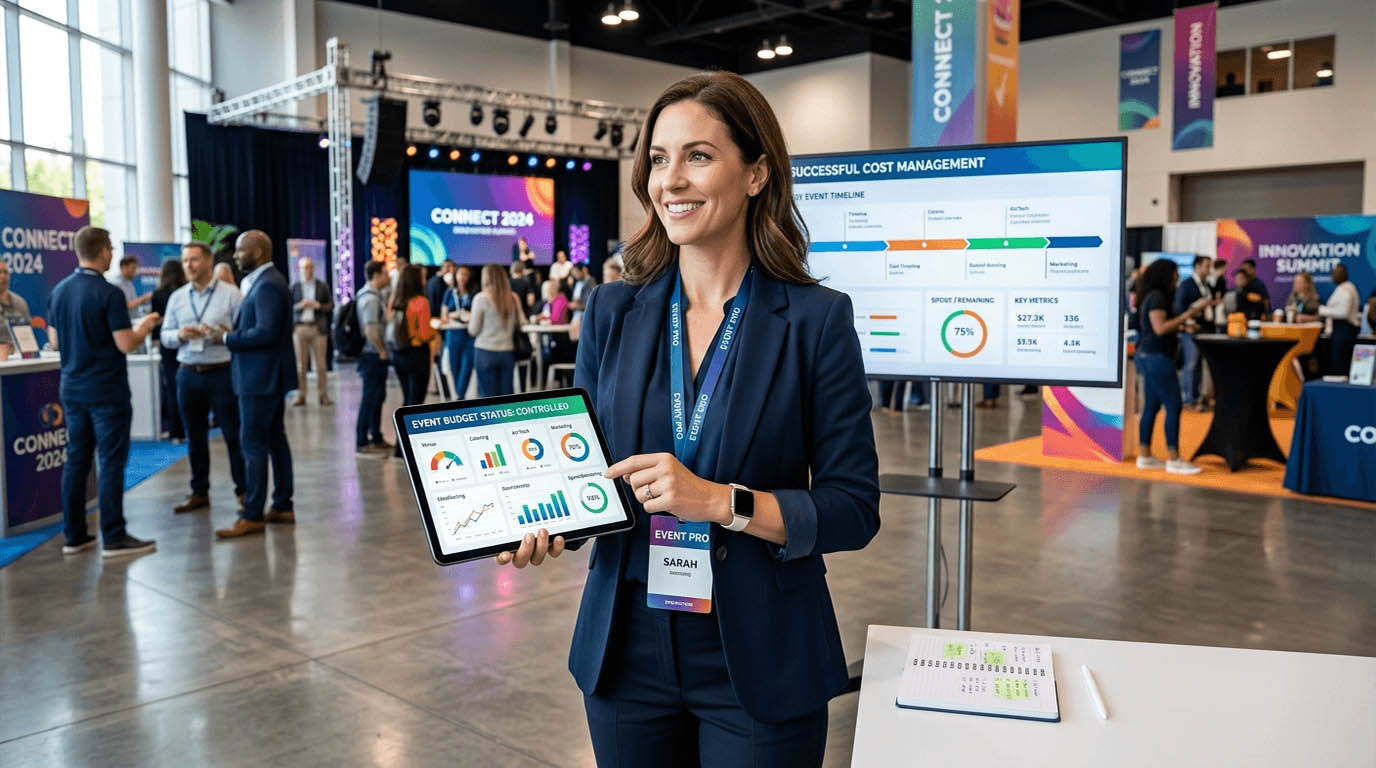
Managing the budget for a large conference is nothing like managing a household budget. You have dozens of vendors sending invoices at different times, staff submitting receipts from across the venue, and a client waiting for a clean breakdown of where every dollar went. Spreadsheets started out as a reasonable idea. Then the third row of accidental overwrites happened, and suddenly you cannot tell which version of the file is the real one.

These are not hypothetical problems. They are the exact questions that eat into your day when you already have a hundred other things to manage. The spreadsheet was never designed for the pace of event production. It was designed for accountants working alone in quiet offices. Your job looks nothing like that.

Budget Clarity Starts Here

Conference organizers lose time and money when expense tracking is scattered across email threads, paper receipts, and competing spreadsheet versions. The fix is a structured workflow that captures every cost as it happens, links claims to real budgets, and makes end-of-event reporting painless for everyone involved, including the client.

What a Multi-Vendor Conference Budget Actually Looks Like

Before you can fix the problem, it helps to see it clearly. A typical mid-size conference budget involves costs that arrive from many directions at many different times. The breakdown usually includes:

  1. Venue and facilities – deposit, final payment, and often surprise add-ons billed separately after the event
  2. Audio-visual production – equipment hire, technician fees, and on-the-day incidentals that no one quoted for
  3. Catering – usually split across multiple meal windows and adjusted after final headcount confirmation
  4. Speaker fees and travel – flights, accommodation, and honorariums that vary by individual contract
  5. Marketing and print materials – signage, event programs, branded merchandise, and digital advertising
  6. Staff and crew – hired hands who submit reimbursements for transport, meals, and supplies bought on the day
  7. Technology and platforms – registration systems, badge printing, and event apps with their own billing cycles
  8. Contingency spending – last-minute purchases that rarely make it into anyone’s pre-event planning document

Each of these categories involves multiple invoices, multiple approvals, and multiple people responsible for logging costs. When those people use different methods, your budget becomes a puzzle with pieces scattered across email, messaging apps, and four versions of the same file.

Why Staff Spending Is the Gap Most Budgets Miss

The gap in most event budgets is not the vendor invoices. Those usually arrive with proper documentation. The gap is in staff spending. The coordinator who grabbed extra extension cables at the hardware store. The registration desk volunteer who bought two boxes of pens. The AV technician who paid for parking to be near the venue before gates opened.

These small costs accumulate fast, and they are almost impossible to track when your team is sending receipt photos through a group chat. Structured expense claims change that entirely. Instead of chasing paperwork after the event, every team member logs their spending in real time, attaches their receipt digitally, and routes the submission for approval before the total even hits your books.

This is not just tidier. It is faster. Approved claims flow directly into your budget tracking without a manual data entry step. That means you always know where you stand, not just where you stood last Tuesday when someone last updated the spreadsheet.

What a Structured Claims Process Should Cover

  • Pre-event purchases by staff who buy supplies without a formal purchase order
  • On-the-day incidentals that nobody budgeted for but everyone knows will happen
  • Travel and accommodation reimbursements for staff attending multi-day events
  • Client-facing expenses that need to be billed back with proper supporting documentation
  • Post-event costs like return shipping, equipment storage, or cleaning surcharges

When every one of these categories has a clear submission path, your closing numbers are much cleaner. And cleaner numbers mean fewer disputes with vendors, fewer surprises for clients, and fewer late nights trying to reconcile what actually happened.

Keeping Vendor Invoices From Becoming a Late-Night Problem

On the vendor side, the challenge is not usually volume. It is timing. Invoices arrive before, during, and after the event with no consistent schedule. A caterer might send a final bill three weeks post-event. An AV company might split their invoice into two separate documents for equipment and labor. A transport provider might issue a corrected invoice after a disputed line item.

The key is having a single place where all incoming bills land, get coded to the right budget line, and get flagged for payment. When that process is in place, nothing gets missed. Vendors get paid on time, and you have a complete picture of what each budget category actually cost before the client asks.

Approval workflows earn their keep here too. Not every invoice should go straight to payment. Some need a second set of eyes, especially if amounts have changed from the original quote. Building that check into your process protects you from paying for things you did not authorize.

Closing the Books After the Event

Post-event reporting is where a lot of conference budgets fall apart. The event is over, the team is exhausted, and someone still has to produce a clean financial summary for the client or the board. If your data is scattered, that summary takes days. If your data is structured from the start, it takes hours at most.

Thorough financial reporting at the end of an event should do more than confirm what was spent. It should show variance against budget by category, flag any cost overruns with context, and give the client enough detail to understand every line item. That kind of transparency builds trust. It also makes it easier to win repeat business, because the client can see you managed their money with care.

The reports that impress clients are not built in a hurry at midnight. They are the ones that were already half-built throughout the event, because every cost was captured and categorized as it occurred. That only happens when the process is structured before the event starts, not cobbled together after everyone has gone home.

What a Post-Event Budget Report Should Include

  • Final spend per budget category against original estimates
  • Total vendor invoices paid and any outstanding amounts still pending
  • Staff reimbursements claimed and approved during the event period
  • Any budget transfers or reallocations made during production
  • A short narrative explaining significant variances
  • Supporting receipts and invoices filed and accessible for audit purposes

Running Multiple Events at Once Without the Overlap

Boutique event agencies face a problem that solo organizers rarely deal with: managing multiple clients and events at the same time. A team running three conferences across two months needs a way to keep those budgets completely separate, assign the right costs to the right event, and still produce clean reporting for each client independently.

This is where the tooling really matters. Purpose-built agency accounting treats each project as a self-contained financial unit. You can manage your team overhead and operating costs as a separate layer, without client costs bleeding into each other. That separation is not just good practice. It becomes a liability issue if a client ever asks you to audit what was spent on their event specifically.

Agencies also tend to have more complex staffing arrangements, with contractors, freelancers, and full-time staff working on different events at different rates. When time and expenses are tracked at the project level, billing clients back for staff costs becomes straightforward instead of a guessing game.

The Steps That Actually Move You Away From Spreadsheets

Making the switch does not have to be an all-at-once overhaul. You can build better habits progressively, starting with the areas that cause you the most pain right now.

  1. Standardize your budget categories first. Agree on the same category names across every event so your reports are comparable over time and across clients.
  2. Set up a single claims submission channel. One place where all staff submit expenses, regardless of which event they are working on that week.
  3. Assign a budget owner for each vendor category. Someone who is responsible for logging and approving invoices in their specific area before payment is made.
  4. Run a mid-event budget check. Not just at the end. A review at the halfway point catches overruns while you can still act on them.
  5. Build your post-event report template before the event starts. Know exactly what you need to produce and make sure your tracking captures the right data from day one.
  6. Archive every receipt and invoice in one searchable place. Digital filing saves hours when a vendor disputes a payment or a client asks a question six months later.

When Your Budget Finally Works as Hard as You Do

Event planning has always been a job where the margin for error is thin. Clients expect flawless execution on a budget that was probably squeezed before the first venue quote came in. Getting cost management right is not a back-office concern. It is core to delivering the event you promised.

Structured workflows, proper claims tracking, and clean post-event reporting are not luxuries reserved for large agencies with dedicated finance teams. They are exactly what any conference organizer needs to stay in control of the numbers without spending half their time repairing spreadsheet errors.

Start with the process. Pick the tools that support it. Your next budget reconciliation might actually be the easy part of the job.

Organizing Attendee Data for Faster and Error Free Conference Registration

Organizing Attendee Data for Faster and Error Free Conference Registration

Registration desks often look calm on the surface, yet behind every smooth check in lies a carefully structured dataset. Names, emails, ticket types, dietary notes, session access, all of it must be accurate and accessible within seconds. A single inconsistency can slow down queues, confuse staff, and damage the first impression of the event. That is why experienced organizers treat attendee data as a core operational asset, not just an administrative task.

Before any badge is printed or QR code is scanned, there is a quiet but critical workflow happening. Lists are cleaned. Fields are standardized. Duplicate entries are removed. Data is reshaped into a format that registration systems can interpret instantly. The difference between chaos and flow often comes down to how well this preparation is done.

Quick Overview

  • Clean attendee data reduces delays and errors at registration
  • Structured formats improve system compatibility and speed
  • Deduplication prevents confusion and duplicate badge printing
  • Clear workflows allow staff to manage large crowds with confidence

The Hidden Work Behind Every Smooth Check In

Attendee data rarely arrives in a clean format. It comes from ticketing platforms, spreadsheets, manual entries, and sometimes even email lists. Each source introduces its own inconsistencies. Names may appear in different formats. Email fields might contain extra spaces. Columns may not align properly. If left unchecked, these small issues compound quickly during live registration.

Organizers often begin by restructuring raw data into a unified format. A practical step involves using a delimiter converter to split or combine columns efficiently. This ensures that first names, last names, and company details are consistently organized. Without this step, systems may misinterpret data, leading to mismatched badges or incomplete records.

Clarity in structure allows registration software to function as intended. Staff can search attendees instantly. Badge printing systems can pull the correct fields without delay. The entire process becomes predictable, which is exactly what high profile conferences require.

Building a Reliable Data Foundation Before Event Day

Preparation begins long before attendees arrive. Data must be reviewed, standardized, and validated in stages. This approach minimizes last minute surprises and ensures that every record is usable.

Consider how ticket tiers affect registration. VIP attendees may require special access, while general attendees follow a different path. If these categories are not clearly defined in the dataset, staff may struggle to direct attendees correctly. Structured tagging becomes essential.

This is also where alignment with operational planning becomes important. For example, workflows described in on-site registration strategies rely heavily on clean datasets. Without accurate data, even the best physical setup cannot compensate for digital confusion.

Why Duplicate Entries Create Real Problems

Duplicate records are more than just a minor inconvenience. They can disrupt badge printing, inflate attendance numbers, and create awkward situations at the registration desk. Imagine an attendee being told they are already checked in when they have just arrived. These moments affect perception.

Removing duplicates is a simple yet powerful step. Tools that can remove duplicate lines help organizers clean large datasets quickly. This process ensures that each attendee has a single, authoritative record. It also reduces the risk of printing multiple badges for the same person.

Clean data leads to confident staff interactions. When records are accurate, check in becomes a seamless exchange rather than a troubleshooting session.

Practical Data Structuring Steps That Save Time

Organizers often follow a structured workflow when preparing attendee lists. Each step builds on the previous one, creating a reliable dataset that supports real time operations.

1. Consolidate all data sources into one master file.

2. Standardize column names such as First Name, Last Name, Email, Company.

3. Normalize text formats, ensuring consistent capitalization and spacing.

4. Validate email formats and remove incomplete entries.

5. Tag attendees based on ticket type or access level.

6. Test the dataset with the registration system before event day.

Each of these steps may seem simple, yet together they create a system that performs under pressure. Skipping any step increases the likelihood of friction during live operations.

How Clean Data Improves Staff Efficiency

Registration teams rely on speed and clarity. They need to locate attendee records instantly and confirm details without hesitation. Clean data reduces cognitive load. Staff do not have to guess or interpret inconsistent entries. Instead, they follow a predictable pattern.

This efficiency becomes even more important in high volume events. Hundreds of attendees may arrive within a short time frame. A well structured dataset allows multiple staff members to work simultaneously without confusion. Everyone follows the same logic.

Technology also benefits from this clarity. Systems that use RFID or QR codes depend on accurate backend data. Insights from RFID check-in workflows highlight how precision at the data level directly impacts scanning speed and reliability.

Common Data Issues That Slow Down Registration

Even experienced organizers encounter recurring problems. Recognizing these issues early helps prevent delays later.

  • Inconsistent name formats across different sources
  • Missing or incomplete email addresses
  • Duplicate entries from multiple registrations
  • Unclear ticket categories or access levels
  • Extra spaces or hidden characters in fields

Each issue introduces friction. Combined, they can significantly slow down registration. Addressing them systematically ensures a smoother experience for both attendees and staff.

Visualizing Data Quality with a Simple Framework

Data AspectCommon IssueImpact on RegistrationSolution
NamesMixed formatsSearch delaysStandardize fields
EmailsInvalid entriesCheck in errorsValidation checks
DuplicatesMultiple recordsBadge confusionDeduplication
CategoriesUnclear labelsAccess issuesClear tagging

Scaling Data Workflows for Larger Conferences

As events grow, the complexity of attendee data increases. More participants mean more variations in registration details. International attendees may introduce different naming conventions. Corporate groups may register in bulk. Each scenario adds another layer to data management.

Scalability requires systems that can handle these variations without breaking down. Organizers often segment data into manageable groups. For example, speakers, sponsors, and general attendees may each have dedicated datasets. This segmentation simplifies processing and reduces the risk of errors.

Understanding how data flows through systems also helps. Concepts related to data processing show that structured inputs lead to predictable outputs. Applying this principle to event management ensures that registration systems perform consistently under load.

Balancing Automation and Human Oversight

Automation plays a major role in modern conference operations. Systems can sort, validate, and process large datasets quickly. Yet human oversight remains essential. Automated tools may not catch context specific issues, such as incorrect company names or unusual formatting.

A balanced approach works best. Automation handles repetitive tasks, while human review ensures accuracy and relevance. This combination creates a robust workflow that can adapt to unexpected situations.

Teams often assign specific roles for data review. One person may focus on validation, while another checks categorization. This division of responsibility improves accuracy and accountability.

Creating a Better First Impression Through Data

Registration is often the first physical interaction attendees have with an event. A smooth check in process sets a positive tone. It signals professionalism and attention to detail. Clean data plays a direct role in shaping this experience.

When attendees receive their badges quickly and without issues, they feel valued. They can move on to networking and sessions without frustration. This positive start influences their overall perception of the event.

On the other hand, delays or errors can create a lasting negative impression. Even if the rest of the event runs smoothly, the initial experience may overshadow everything else.

From Data Preparation to Confident Execution

Organizing attendee data is not just a technical task. It is a strategic process that supports every aspect of conference registration. Clean, structured data enables systems to perform efficiently and allows staff to work with confidence.

Each step in the workflow contributes to the final outcome. From splitting columns to removing duplicates, every action reduces friction. The result is a registration process that feels effortless to attendees, even though it is backed by careful preparation.

Events that invest time in data organization often stand out. They deliver a level of professionalism that attendees notice immediately. Behind that experience lies a disciplined approach to managing information, one that turns complexity into clarity.

Turn Conference Sessions Into Shareable Content in 30 Minutes

Turn Conference Sessions Into Shareable Content in 30 Minutes

The applause fades. The keynote ends. Attendees step out for coffee and quick networking chats. Yet the most valuable part of your conference has only just begun. The insights shared on stage are fresh, relevant, and powerful. If you leave them sitting inside a video file, they lose momentum fast. If you act quickly, you can transform those sessions into polished, searchable, and highly shareable content before the day is over.

Modern event teams are not just planners. They are content publishers. A single recorded session can become a blog recap, a LinkedIn article, captioned highlight clips, email follow ups, and speaker quote graphics. With reliable meeting transcription tool, you can convert spoken discussions into structured text within minutes. That raw transcript becomes the foundation for every post conference asset you produce.

Quick Summary

  • Recorded sessions can be turned into blogs, captions, and social posts in under 30 minutes.
  • Transcripts make content searchable, editable, and reusable.
  • Fast repurposing extends event reach and improves accessibility.
  • A simple workflow keeps marketing teams consistent and efficient.

Why Recorded Sessions Are Your Most Valuable Asset

Every conference session is packed with expertise. Speakers invest weeks preparing slides and refining talking points. Attendees travel across cities and countries to hear those insights live. Yet many organizers treat recordings as archival material rather than strategic content assets.

That approach leaves attention on the table. A single panel discussion may contain ten quotable insights. A keynote might include three practical frameworks. A workshop could provide step by step instructions that deserve wider circulation. Turning recordings into text allows you to identify and organize these moments quickly.

Strong written content also supports broader strategy. Teams already focused on measuring event ROI know that visibility matters. Searchable articles, shareable quotes, and captioned videos all contribute to long term brand authority. Written summaries increase traffic. Captions increase watch time. Both influence post event engagement metrics.

The 30 Minute Repurposing Framework

Speed is possible when you follow a clear structure. Without one, teams waste time debating format and tone. With a framework, you move from raw file to published asset in half an hour.

Here is a simple breakdown.

1. Export the session recording immediately after the talk ends. Upload it for transcription. This creates a full text draft that captures every spoken word.

2. Scan the transcript for key themes. Highlight strong quotes, data points, and actionable advice. Focus on clarity and relevance rather than copying everything.

3. Draft a structured recap with an introduction, key insights, and a short closing reflection. Keep sentences short. Retain the speaker’s voice while improving readability.

4. Create short video clips from standout moments. Accurate video to text processing helps you align captions precisely with spoken dialogue, making clips easier to edit and distribute.

5. Publish the blog recap, upload captioned clips to social channels, and send a follow up email to attendees with highlights.

This five step cycle is practical. It removes guesswork. Most importantly, it ensures that your best content is not trapped inside a long video file.

Turning Transcripts Into Polished Blog Recaps

A transcript is raw material. It includes filler words, repeated phrases, and side comments. Your task is to shape it into a compelling narrative. Begin with a short introduction that frames the session. Mention the speaker’s role and the main topic. Keep the tone conversational.

Then group insights into themes. For example, if a speaker discusses leadership, innovation, and team culture, create separate sub sections for each. Use clear headings. Insert concise summaries after every major point. Avoid copying slides word for word. Instead, translate spoken ideas into clean, readable paragraphs.

Many event teams already focus on audience engagement strategies. Written recaps extend that engagement beyond the room. Attendees can revisit complex ideas at their own pace. Prospective participants can preview the depth of future events.

Within thirty minutes, you can publish a structured recap that feels thoughtful and professional. That speed builds momentum across your marketing calendar.

Improving Accessibility Through Captions

Accessibility is not optional. It is part of responsible event design. Captions support attendees who are deaf or hard of hearing. They also help viewers watching videos in noisy environments or without sound.

Accurate subtitles improve comprehension. Viewers process information through both audio and text. Research summarized by W3C Web Accessibility Initiative shows that captions enhance usability for a wide range of audiences, not only those with hearing impairments.

Captions also increase watch time on social platforms. Algorithms reward videos that hold attention. When viewers can read along, they are more likely to continue watching. This directly supports your post conference distribution strategy.

What You Can Produce From One Session

It is easy to underestimate the output potential of a single recording. With a transcript in hand, your team can generate multiple assets quickly.

  • Full blog recap with key insights
  • Short social media quote graphics
  • Captioned highlight clips under two minutes
  • Email newsletter summaries
  • Downloadable PDF notes for registered attendees

Notice that each format serves a different purpose. Blog posts attract search traffic. Social posts drive immediate engagement. Emails nurture existing relationships. PDF notes add value to ticket holders.

How This Extends Post Conference ROI

Return on investment is not limited to ticket sales. It includes brand awareness, lead generation, and long term authority. Fast content repurposing influences all three.

Search engines index written content. A well structured recap can rank for speaker names, industry topics, and conference themes. This brings new visitors months after the event ends. Those visitors may register for future editions.

Shareable clips also expand reach. Speakers often repost highlights to their own audiences. Sponsors appreciate additional visibility. Attendees tag colleagues who missed the session. Each interaction multiplies exposure without additional venue costs.

Within half an hour of processing, you move from one live audience to an ongoing digital presence.

Sample 30 Minute Workflow Table

Time Slot Action Outcome
0 to 5 minutes Upload recording for transcription Accurate text draft ready
5 to 15 minutes Highlight key insights and quotes Structured outline prepared
15 to 25 minutes Draft recap and refine language Publish ready article
25 to 30 minutes Create captioned clips and social snippets Multi channel distribution assets

Keeping Your Brand Voice Consistent

Speed does not mean carelessness. Even in a rapid workflow, tone and structure matter. Assign one editor to review all recaps. Provide simple style guidelines. Short sentences. Clear sub headings. Consistent formatting.

Over time, your audience will recognize your recap style. They will expect clear summaries. They will look forward to concise insight sections. This predictability builds trust.

Conference content should feel human. Remove filler. Keep quotes meaningful. Add brief context where needed. Each recap becomes part of a larger narrative about your event brand.

Turning Momentum Into Ongoing Conversation

The final step is distribution. Publish recaps within hours, not days. Tag speakers on social media. Send attendees a curated highlight email. Invite feedback and follow up questions.

Fast turnaround creates relevance. Attendees are still thinking about the session. They are still discussing ideas with colleagues. Your content meets them in that moment.

Over time, this habit changes how your conference is perceived. It becomes known not only for high quality live sessions, but also for clear, accessible, and lasting knowledge resources.

From Stage to Searchable Knowledge

A conference is intense. It is busy. It is full of moving parts. Yet the insights shared on stage deserve more than a single time slot. By committing to a simple thirty minute workflow, you convert fleeting conversations into durable assets.

Transcripts give you clarity. Captions improve access. Structured recaps extend reach. Together, they transform your event into an ongoing knowledge platform.

The next time the applause fades, act quickly. Open the recording. Create the transcript. Shape the recap. Share the highlights. Thirty minutes later, your conference continues to speak.

How to Offer Conference App Downloads Without Losing Attendee Trust

How to Offer Conference App Downloads Without Losing Attendee Trust

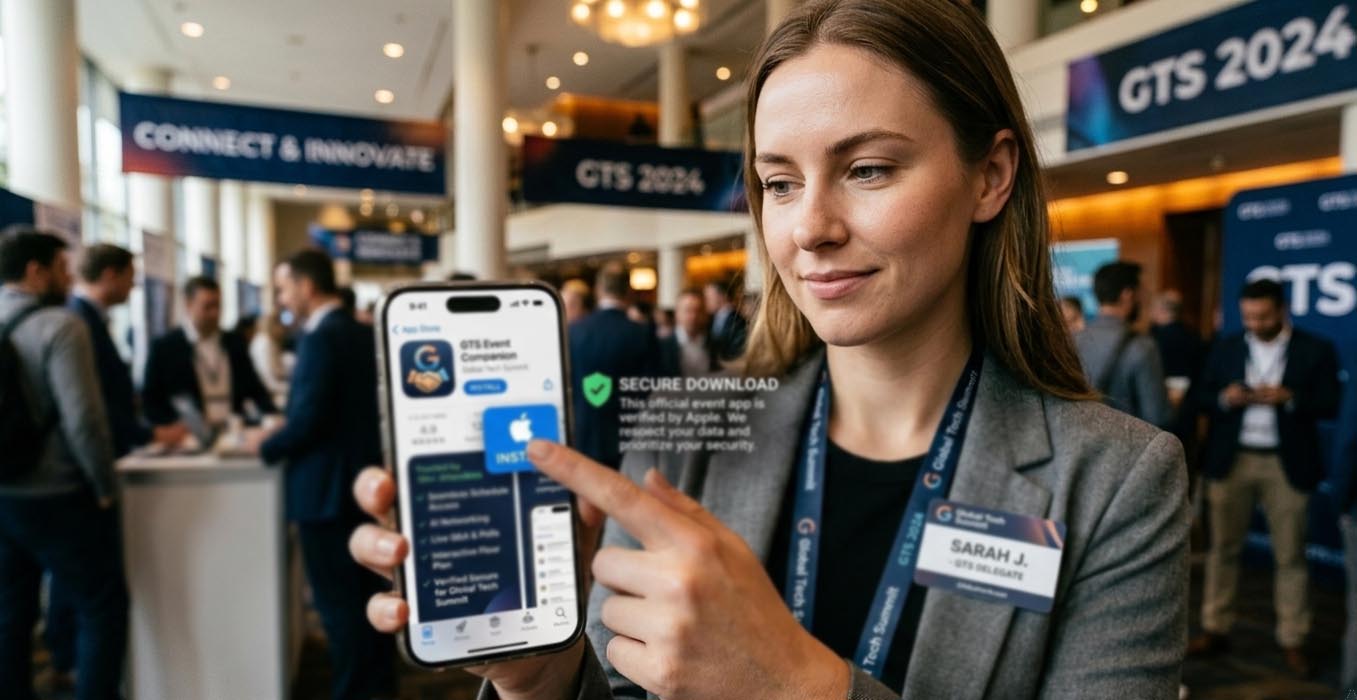
Asking attendees to download your conference app is not a small request. You are asking for space on their personal devices. You are asking for permissions. You are asking for confidence. That moment, when someone taps Install, is where trust is either reinforced or quietly lost.

Conference apps power schedules, speaker updates, networking tools, live polls, and venue maps. They streamline the entire event journey. Yet the path to installation must feel safe and intentional. A poorly explained download link can create hesitation. A suspicious file can create reputational damage that lingers long after the event closes.

At a Glance

  • Default to official app stores for public distribution
  • Use APK delivery only in tightly controlled scenarios
  • Explain verification steps in simple language
  • Align app messaging with overall event tech strategy
  • Support attendees with clear security guidance

Understanding the Risk Before You Share a Link

Attendees are more alert to digital risks than ever. QR code scams circulate widely. Fake event pages appear quickly. Even experienced professionals hesitate before downloading unfamiliar software. If your event brand is premium and carefully curated, your app distribution process must reflect the same standard.

An event app often requests notifications, camera access for badge scanning, Bluetooth for networking, and sometimes location data for indoor navigation. None of these are unreasonable. What matters is clarity. People accept permissions when they understand the purpose. They resist when the process feels rushed or opaque.

When APK Distribution Is Necessary

For most public conferences, official app stores are the right choice. However, certain enterprise events operate under device management policies that restrict access to public marketplaces. In those cases, distributing apk files may become a controlled requirement.

If you move in this direction, position it clearly as an exception. Limit access to authenticated participants. Provide checksum verification details for IT departments. Offer a direct contact channel for technical validation. This communicates that you respect security standards rather than bypassing them casually.

Transparency matters here. State why the APK route exists. Identify who should use it. Make it obvious that the primary recommendation remains official stores wherever possible.

Aligning App Distribution With Modern Event Technology

App downloads should not feel isolated from your broader event ecosystem. They sit alongside registration systems, badge printing, live streaming, and analytics dashboards. A cohesive approach to technology builds confidence.

That philosophy is consistent with strong modern event technology planning, where each digital component supports both usability and security. If your website looks polished and your registration portal feels secure, your app distribution must match that tone.

Consistency across channels reduces friction. The same logo. The same naming convention. The same color palette. These visual cues reassure attendees that they are interacting with the real application.

Communicating Verification Steps Clearly

Security guidance does not need to be technical. It needs to be practical. Provide a short checklist within your confirmation emails and on your event website. Keep it direct.

  1. Confirm the developer name matches your organizing company.
  2. Check that the app description references the correct event name and dates.
  3. Compare the icon displayed in the store with the one shown on your official website.
  4. Avoid downloading from search engine ads that redirect to unfamiliar domains.

Each point builds awareness without creating anxiety. Attendees feel guided rather than warned.

Integrating Downloads Into the Check In Journey

If your app supports on site registration, badge activation, or QR based access control, the download process must be introduced early. Do not wait until attendees stand in line.

A thoughtful approach aligns well with structured planning around seamless check in experiences. If digital badges or session scanning rely on the app, communicate this week in advance. Offer installation guidance and troubleshooting tips before arrival day.

Frontline staff should have a short script. They should know the official link by memory. They should reassure attendees that the download originates from a verified store listing. Calm repetition reinforces credibility.

Comparing Distribution Methods

Method Control Level Perceived Trust Best Use Case
Google Play Store High platform oversight Very High Public conferences
Apple App Store Manual review process Very High iOS audiences
Direct APK Organizer managed only Moderate Enterprise restrictions

This comparison clarifies why store first distribution should remain the standard for most events.

Five Structured Safeguards for Organizers

You do not need a massive cybersecurity department to protect attendees. You need discipline and documentation.

  1. Reserve your app name early to prevent impersonation.
  2. Enable two factor authentication for developer accounts.
  3. Audit every marketing asset for accurate download links.
  4. Monitor app reviews for suspicious reports.
  5. Provide live technical support during peak arrival hours.

These measures reflect widely accepted cybersecurity hygiene principles, similar to those outlined by UK NCSC. While their scope is broader, the fundamentals apply equally to event environments. Identity verification. Controlled access. Clear documentation.

Language That Builds Confidence

The tone you use in your messaging influences perception. Avoid dramatic warnings. Avoid complex technical explanations. Short sentences communicate control. Calm phrasing communicates preparation.

Instead of emphasizing risk, focus on clarity. State that the app is available through official channels. Explain what permissions are requested and why. Offer contact details for concerns. This approach makes security feel like a normal part of your event planning, not an afterthought.

Protecting Your Reputation Through Careful Distribution

Every digital interaction shapes how attendees view your conference. A smooth, verified download process signals professionalism. A confusing or risky one signals neglect.

Choose official stores as your foundation. Use APK distribution only when operationally necessary. Provide simple verification steps. Align messaging with your broader event technology strategy. By treating app downloads as a trust building exercise rather than a technical formality, you safeguard both devices and your brand.

Typing Speed Standards for Conference Staff in 2026

Typing Speed Standards for Conference Staff in 2026

Registration desks move fast. Chat windows fill up in seconds. Speakers change slides at the last minute. In 2026, conference teams rely on keyboards more than ever. From on site check in to hybrid Q and A moderation, typing speed is not just a clerical skill. It is an operational metric.

Organizers often track venue costs, catering ratios, and attendee satisfaction scores. Yet few measure how quickly staff can input badge corrections, update session notes, or respond to urgent emails. A slow response at the registration counter can create queues. A delay in updating a schedule can confuse hundreds of delegates. Typing speed sits quietly behind these moments.

Executive Snapshot

  • Typing speed affects registration flow, live chat moderation, and reporting accuracy.
  • Benchmark ranges vary by role, from 35 WPM for support staff to 80 WPM for live moderators.
  • Standardized testing ensures fair hiring and consistent training outcomes.
  • Operational efficiency improves when typing benchmarks align with event scale.

Why Typing Speed Is Now an Operational KPI

Conferences in Singapore and across the region have grown more complex. Hybrid formats demand real time digital coordination. Staff are updating spreadsheets, pushing announcements, and logging attendee feedback while sessions are still in progress. Every keystroke contributes to the event experience.

Running a short 5 minute typing test before major events gives organizers measurable data on staff readiness. The platform is free and accessible. It tracks both words per minute and accuracy, helping planners assign high pressure digital roles with confidence.

This approach aligns with the broader discipline of timing sessions with precision. Precision does not stop at stage cues. It extends to back end workflows. Staff who type efficiently reduce friction at every touchpoint.

Core Typing Speed Benchmarks by Role

Not every staff member needs to hit 90 words per minute. Standards should reflect role complexity. Setting realistic targets avoids unnecessary pressure while maintaining operational readiness.

Role Recommended WPM Accuracy Target Operational Context
Registration Officer 45 to 55 95% Badge edits, attendee lookup, payment notes
Live Chat Moderator 70 to 80 97% Hybrid Q and A filtering, real time announcements
Content Note Taker 60 to 70 96% Session summaries, sponsor mentions
Back Office Support 35 to 45 94% Email replies, internal coordination

These ranges are not arbitrary. They reflect workload intensity. A live chat moderator during a keynote must process dozens of messages per minute. Slower typing creates a backlog. Attendees notice delays.

Four Operational Areas Impacted by Typing Speed

Typing proficiency influences more than internal efficiency. It shapes the attendee journey. Below are four domains where speed directly affects outcomes.

  1. On Site Registration Flow
    Staff who can quickly correct name spellings and update ticket tiers prevent bottlenecks. Lines shorten. First impressions improve.
  2. Hybrid Engagement Management
    Moderators who type fast can filter questions, respond to technical issues, and post clarifications instantly.
  3. Speaker Support and Cue Updates
    Real time script adjustments require accurate transcription and distribution to stage managers.
  4. Post Event Reporting
    Fast note consolidation speeds up sponsor reports and media summaries.

Accuracy Matters as Much as Speed

Raw speed alone is not enough. A registration officer who types 75 words per minute but makes frequent errors creates rework. Incorrect email addresses lead to failed confirmations. Misspelled names cause embarrassment.

According to research published by the American Psychological Association, cognitive load increases error rates during multitasking. Conference environments are full of distractions. Accuracy targets above 95 percent help counteract that pressure.

Organizers should train staff in short bursts. Ten minute drills over several weeks produce measurable gains. Pair this with workflow simulations. For example, simulate a rush of 50 attendees arriving within five minutes. Measure both speed and error frequency.

Integrating Benchmarks into Hiring and Training

Typing standards should be built into recruitment criteria. A simple skills assessment during onboarding ensures fairness. Candidates understand expectations. Managers obtain measurable data.

Training sessions can align with broader digital competency initiatives. For teams already focused on digital planning tools, adding structured typing practice is a logical extension. Both skills support the same objective, operational smoothness.

Consider a phased benchmark system:

1. New hires must achieve 40 WPM within their first month.

2. Front line staff should reach role specific targets before major events.

3. Lead moderators must maintain 75 WPM with 97 percent accuracy.

This staged approach reduces stress. It also creates a clear development path.

How Event Scale Influences Typing Standards

A boutique leadership forum with 80 delegates does not demand the same digital velocity as a regional tech summit with 3000 participants. Standards should scale with event complexity.

Small events may function well with average typing speeds around 45 WPM. Large multi track conferences require a higher ceiling. Real time updates across multiple platforms demand rapid input.

Organizers planning global gatherings, especially hybrid formats, must also account for multilingual communication. Transliteration and quick corrections slow down typing. Setting a higher baseline offsets that challenge.

Measuring Return on Faster Typing

Improved typing speed reduces queue time. It shortens response cycles. It accelerates content production. These benefits are measurable.

Track average check in duration before and after implementing typing benchmarks. Monitor response times in event apps. Compare sponsor report turnaround. Quantifiable improvements strengthen the case for ongoing training.

Operational benchmarking is already standard practice in areas such as catering ratios and venue turnaround schedules. Applying the same discipline to keyboard proficiency creates a more resilient team.

Human Factors Behind the Numbers

Typing is physical. Posture, keyboard design, and fatigue all influence performance. Multi day conferences amplify strain. Providing ergonomic keyboards and clear rest schedules sustains output.

Short warm up exercises before peak registration windows can improve muscle memory. Encourage staff to practice touch typing rather than looking down at keys. Visual attention should stay on the attendee, not the keyboard.

Confidence also plays a role. Staff who trust their typing ability maintain eye contact and engage naturally. This human connection enhances professionalism.

Building a Culture of Measured Readiness

Typing speed standards are not about competition. They are about preparedness. In 2026, conferences operate in real time. Attendees expect instant answers. Sponsors expect immediate visibility.

By treating typing as a measurable skill, organizers send a clear message. Digital fluency is part of event excellence. Structured testing, regular practice, and role specific targets form a simple but powerful framework.

The result is a team that moves confidently across registration counters, backstage control rooms, and hybrid dashboards. Every keystroke supports the overall experience.

Setting the Pace for High Performing Event Teams

Typing speed standards might seem small compared to venue selection or sponsorship strategy. Yet they influence the rhythm of the entire operation. Faster, accurate input keeps schedules intact and communications clear.

In the coming years, as conferences integrate more AI tools and real time analytics, the human ability to input clean data quickly will remain vital. Organizers who benchmark and train accordingly will run smoother events. Attendees will notice. Partners will appreciate the efficiency.

Operational excellence is built on details. Keyboard proficiency is one of them. Set the standard. Measure it. Improve it. The impact will ripple through every session and every interaction.

Is This Conference Worth It Score ROI Using an Event ROI Calculator (Time + Money)

Is This Conference Worth It? Score ROI Using an Event ROI Calculator (Time + Money)

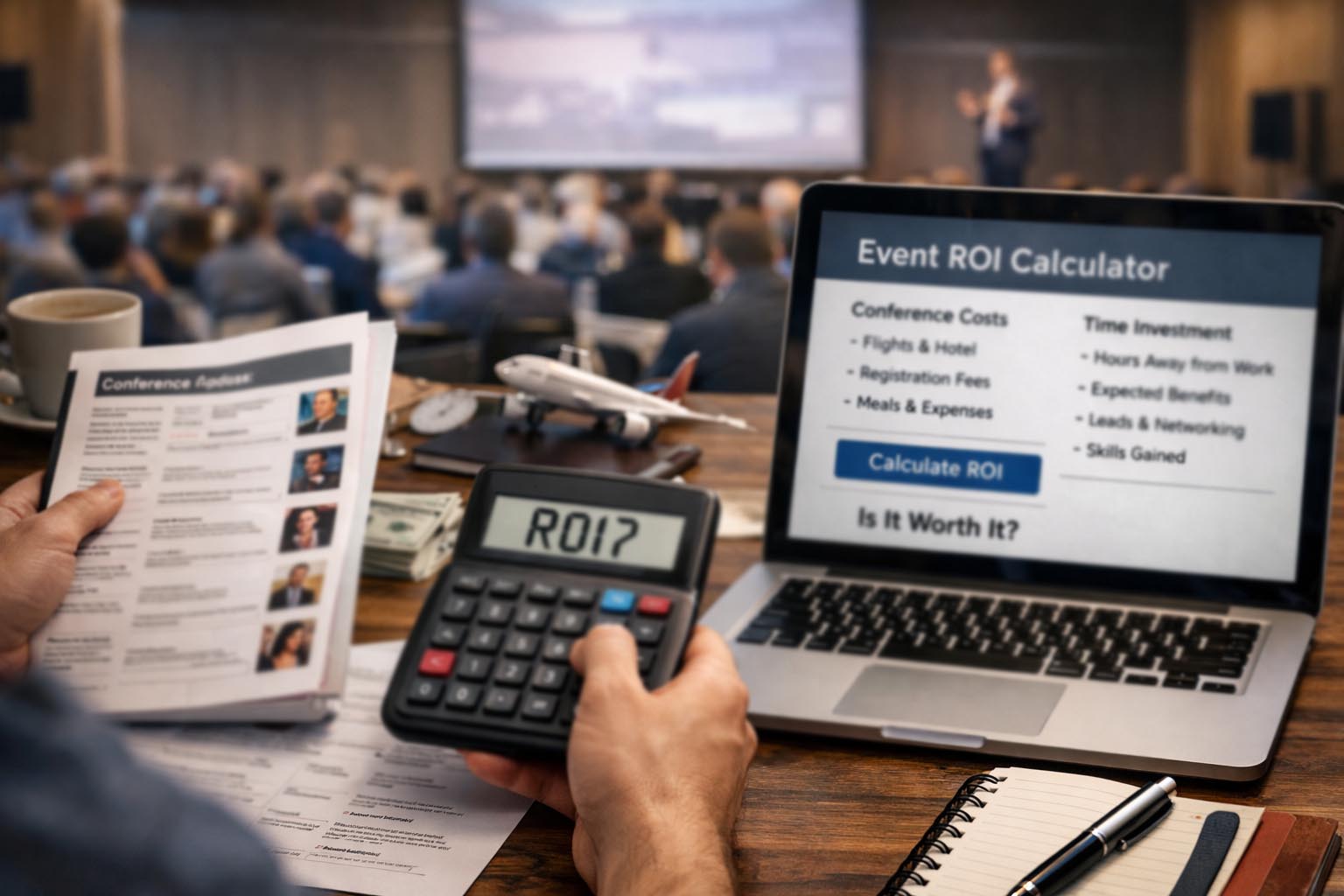
You open the conference agenda and start scanning the sessions. Familiar names appear. A few speakers stand out. The venue photos look polished and well staged. Then you reach the ticket price and pause. Add flights, hotels, meals, and days away from work, and the decision stops being simple. A conference can feel impressive on paper yet quietly drain resources once time and money are counted together.

This tension is common for professionals at every level. Conferences promise learning, exposure, and momentum. They also demand attention, energy, and commitment long before the doors open. Relying on instinct alone often leads to mixed feelings afterward. Clear thinking, grounded in numbers and expectations, offers a steadier path forward.

Using an event ROI calculator early changes how the decision unfolds. Instead of asking whether the event sounds worthwhile, you start asking what it must deliver to justify the investment. Every assumption becomes visible. Registration fees, travel time, accommodation, and hours spent on site are no longer abstract. They become inputs that shape a real decision.

Quick Summary

  • Conference ROI includes money, time, and opportunity cost.
  • Breaking inputs into clear parts improves decision quality.
  • Measurement creates confidence before and after the event.

What ROI Really Means for Conferences

ROI is often reduced to a simple financial ratio. That narrow view works for equipment or advertising spend.
Conferences operate differently. Their value often appears through insight gained, relationships built, and clarity earned over time. Ignoring these elements misses a large part of the return.

At the same time, softer outcomes should not excuse vague thinking. Knowledge has value when it changes decisions. Connections matter when they lead to collaboration or opportunity. Momentum counts when it carries into real action after the event. A complete ROI view weighs these benefits against what they cost to obtain.

This balanced approach mirrors how experienced planners evaluate outcomes after the doors close. Clear metrics make reflection grounded rather than emotional. The same logic is reflected in conference success measurement, where planning goals and post event review reinforce each other. When expectations and evaluation share the same framework, results become easier to judge.

Breaking Down the True Cost Side

Conference costs are rarely obvious at first glance. They arrive in fragments, spread across weeks or months.
A ticket fee feels manageable on its own. So does a hotel night or a single flight. Together, they form a much larger commitment than expected.

Many attendees underestimate how quickly small expenses accumulate. Meals between sessions, local transport, and incidental purchases add up. More importantly, work pauses while attention shifts elsewhere. That pause carries a cost even if no invoice arrives.

The most commonly overlooked cost categories include the following.

  • Registration fees, workshops, and add on sessions.
  • Flights, trains, taxis, and accommodation.
  • Meals outside sponsored or scheduled events.
  • Work hours delayed, delegated, or postponed.

Time acts as the quiet multiplier. A three day conference often consumes closer to a full work week once preparation, travel, and follow up are included. Emails stack up. Projects slow. That hidden time cost deserves the same attention as visible expenses.

Estimating the Return Without Guesswork

Returns feel harder to quantify because they often depend on behavior after the event. That does not make them unmeasurable. It simply means they require clearer goals at the start. Attending to generate sales leads differs from attending to refine skills or build industry awareness. Each goal carries a different return profile.

Define success before you register. A consultant may value two strong client conversations. A manager may value clarity on a strategic decision. A founder may value exposure to potential partners. Without this clarity, even a productive event can feel disappointing afterward.

This is where a free online calculator becomes practical rather than abstract. Assigning reasonable values to expected outcomes turns hopes into estimates. The numbers will never be perfect. They do not need to be. They only need to be honest enough to guide a choice.

This discipline mirrors how experienced teams approach planning. They test assumptions before committing resources. The same principle appears in event budget planning, where visibility allows adjustments before costs lock in. Clarity early prevents frustration later.

A Practical ROI Scoring Framework

Once costs and potential returns are laid out, scoring becomes manageable. The goal is not to predict the future with precision. The goal is to compare scenarios with consistency. This comparison often reveals patterns that instinct alone would miss.

Use the following numerical structure as a working framework.
Adjust it to fit your role and priorities.

1.  Assign a realistic monetary value to your time per hour, based on salary or billable rates.

2. Estimate total hours spent preparing, attending, traveling, and following up.

3. Combine all direct expenses into a single cost figure.

4. Estimate gains conservatively, focusing on outcomes you can influence.

5. Compare totals and observe the margin rather than chasing precision.

A positive margin suggests potential alignment. A negative margin signals caution. Neither guarantees an outcome. Both provide guidance grounded in reality.

ROI Factors That Are Easy to Miss

Some benefits surface weeks or months later. A brief conversation may spark a collaboration long after badges are discarded. That delayed return does not justify attending every event. It highlights the role of disciplined follow up.
Without follow through, even strong connections fade.

Energy and focus also influence ROI more than many expect. Long days filled with sessions can reduce attention.
Decision quality drops as fatigue builds. What looks productive on a schedule may feel overwhelming in practice.

Thoughtful pacing protects value. Session timing and breaks shape how information is absorbed. Insights from efficient event schedules show how structure affects outcomes. Attention is a finite resource. Protecting it improves returns.

Sample ROI Comparison Table

Category Conference A Conference B
Total Cost SGD 3,200 SGD 1,800
Time Investment 42 hours 28 hours
Estimated Return SGD 4,500 SGD 3,000

Why Measurement Builds Confidence

Clear numbers reduce emotional weight. You stop feeling pressure to attend events simply because others are going.
Skipping a conference feels easier when the reasoning is clear. Committing feels stronger when the math supports it.

ROI thinking also protects focus. Instead of scattering attention across multiple events, you concentrate on those that align with real goals. Over time, this focus compounds. Energy is spent where it matters most.

Formal ROI frameworks are widely accepted across industries. Even the basic definition of return on investment reinforces the same logic. Input and output must be compared honestly. The principle holds whether the asset is equipment, marketing, or time.

Making the Decision With Clarity

Conferences remain powerful tools when chosen deliberately. They become costly distractions when selected on impulse. Preparation shapes the difference.

By scoring time and money together, you replace vague optimism with structure. That structure does not remove uncertainty. It removes regret and second guessing.

The next invitation that lands in your inbox deserves a pause. Run the numbers. Check the assumptions. If the value holds, attend with confidence. If it does not, your calendar gains space for work that matters more.

Conference Prep Countdown The Exact Timeline for Proposals, Flights, and Early-Bird Deadlines

Conference Prep Countdown: The Exact Timeline for Proposals, Flights, and Early-Bird Deadlines

Conference planning rarely fails because of ideas. It fails because of timing. A strong proposal submitted one day late does not get reviewed. A flight booked after prices spike eats into budgets. An early bird ticket missed by hours can add stress that lingers for months. The smartest planners treat time as a moving structure, not a fixed date on a calendar. They measure what has already passed and what still lies ahead.

Every serious conference plan starts with clarity around three questions. How long until the proposal deadline closes. How much time remains before the event begins. How long it has been since registration opened. These gaps define priorities and shape decisions long before anyone steps into a venue.

At a Glance

This article breaks conference preparation into clear countdown phases. It shows how proposal windows, registration periods, and travel planning all depend on knowing exact time spans rather than guessing dates.

Starting With the Clock, Not the Checklist

Most conference timelines begin with tasks. Write proposal. Book flights. Register team. That order looks tidy but hides the real driver. Deadlines move forward whether preparation feels ready or not. Starting with time creates urgency where it belongs and removes panic from everything else.

A proposal deadline five weeks away feels generous until daily work eats into those weeks. Knowing the exact remaining duration changes behavior. A precise countdown turns vague intention into scheduled effort. This is why planners rely on a time from now calculator early in the process. It converts dates into reality.

Proposal Windows and Submission Rhythm

Calls for papers often open quietly. Weeks pass before most people notice. By the time urgency appears, review windows are already narrowing. Tracking how long it has been since a proposal window opened provides context. It signals how crowded the review pipeline may already be.

A submission sent early gains breathing room. Reviewers read with more attention. Revisions remain possible. Late submissions compete with volume and fatigue. Time awareness encourages earlier drafts and calmer edits.

  1. Identify the official proposal opening date.
  2. Measure how much time has passed since that opening.
  3. Count the remaining days before closure.

Spacing these steps across days instead of hours leads to clearer writing and stronger positioning. Many planners refine their drafts using principles from proposal engagement assessment, well before submission pressure builds.

Registration Phases and Price Psychology

Registration is more than a payment step. It signals commitment. Early bird phases exist to reward decisiveness. Missing them rarely changes attendance but almost always changes cost. Understanding how long it has been since registration opened helps teams judge whether prices are likely to rise soon.

If registration opened months ago, demand patterns are already forming. Hotels begin filling. Workshops reach capacity. Late registration creates friction that spills into travel and accommodation planning.

Clear timing also improves internal communication. Teams respond better to statements grounded in time rather than emotion. Saying registration closes in nine days creates focus. Saying soon does not.

Flight Booking Windows That Protect Budgets

Flights sit at the intersection of time and money. Book too early and schedules may shift. Book too late and prices climb fast. The optimal window depends on distance, season, and destination.

Counting down to the event start date anchors flight decisions. International conferences require wider buffers. Regional events allow more flexibility. The key is measuring exact intervals instead of relying on instinct.

Travel TypeIdeal Booking WindowRisk if Delayed
International long haul8 to 12 weeks before eventSharp fare increases
Regional flights4 to 6 weeks before eventLimited seat choice
Domestic travel2 to 4 weeks before eventHigher peak pricing

These windows are easier to manage when aligned with session layouts and arrival flows described in efficient conference scheduling.

Counting Down to the Event Start

The moment the event date is fixed, a new countdown begins. This clock governs everything that follows. Speaker preparation. Travel documents. On site materials. Each task ties back to the same endpoint.

Measuring how long until the event starts shifts planning from abstract to tangible. A six month horizon allows experimentation. A three week horizon demands execution. Knowing where you stand prevents unrealistic planning.

This awareness also helps attendees pace energy. Packing lists feel lighter when spread across time. Rehearsals feel less forced when scheduled earlier.

Time Blocks That Reduce Stress

Breaking preparation into time blocks creates rhythm. Each block serves one purpose. Proposal writing ends before travel planning begins. Registration confirmation closes before presentation polish starts.

This separation reduces overlap fatigue. It also creates checkpoints that feel achievable. Instead of one overwhelming timeline, planners work through clear phases.

  • Proposal phase with submission buffer.
  • Registration confirmation phase.
  • Travel booking and logistics phase.
  • Content rehearsal and material prep phase.

Well defined blocks align closely with approaches discussed in conference time management, where pacing often determines outcomes more than raw effort.

Why Exact Timing Beats Memory

Serious events rely on shared structure, not personal reminders. Large conferences follow formal planning cycles that define when proposals close, when registrations stabilize, and when logistics must lock in. This kind of discipline mirrors established event planning standards, where timelines exist to reduce risk and avoid last minute decisions.

Memory fades. Emails get buried. Dashboards refresh daily. Exact time measurement cuts through noise. It removes reliance on recall and replaces it with facts.

Turning Countdowns Into Confidence

Time awareness creates calm. Knowing where you stand removes second guessing. A clear countdown turns preparation into a sequence rather than a scramble.

Conference success often appears effortless from the outside. Behind that ease sits careful timing. Proposals sent with days to spare. Flights booked before prices jump. Registrations confirmed without rush.

Treat time as a partner. Measure it. Respect it. Let each countdown guide your next move with confidence rather than pressure.

Planning Hybrid Conferences for Global Audiences Without Timing Errors

Planning Hybrid Conferences for Global Audiences Without Timing Errors

Hybrid conferences promise reach and flexibility, but they also expose weaknesses in planning that rarely surface in fully in person events. Time sits at the center of those weaknesses. A single agenda now has to function across continents, working hours, and personal routines. If timing feels careless, the entire experience feels fragile, even if the content itself is strong.

Unlike physical conferences, hybrid events do not allow attendees to drift in and out unnoticed. A remote participant joins at a specific moment with a clear expectation. If nothing happens, frustration sets in fast. That emotional response does not reset easily. Once trust is shaken, engagement drops, cameras turn off, and chat activity slows.

For conferences that involve speakers or partners across multiple regions, checking the current time in different regions gives planners a reliable, real world reference that automatically reflects daylight changes and seasonal shifts. Relying on a live time source instead of rough offsets helps teams align rehearsals, speaker briefings, and live sessions with greater confidence and far fewer assumptions.

This habit fits naturally alongside broader scheduling thinking discussed in best conference timing. Time decisions shape who can attend, how alert they feel, and whether the event respects their daily rhythm. When time is treated as a strategic choice rather than an afterthought, the entire program gains stability.

Why Hybrid Conferences Magnify Timing Problems

In person conferences have built in forgiveness. Attendees gather early. Conversations stretch between rooms. Coffee breaks absorb small delays. Hybrid events remove those buffers completely. A remote attendee logs in at the published time expecting immediate value. Even a short delay feels longer when someone is staring at a silent screen.

Timing errors also create visible stress for speakers and moderators. When one session runs late, the pressure moves downstream. Moderators shorten introductions. Speakers rush slides. Question segments disappear. Viewers notice the tension even if it is never acknowledged.

Another issue is perceived fairness. Hybrid audiences span regions, and patterns become obvious over time. If live sessions always favor one time zone, others quietly disengage. Registration numbers decline in those regions, not because the content is poor, but because participation feels inconvenient or dismissive.

Selecting Time References That Everyone Understands

Global events require a clear and consistent time reference. This does not mean forcing everyone into one local time. It means choosing a primary anchor and communicating it without ambiguity. Confusion often arises when schedules mix formats or rely on mental conversion.

North American time zones cause particular trouble, especially around seasonal changes. Referring directly to PST time reduces misinterpretation and prevents calendar conflicts. It also limits last minute emails asking speakers to confirm when they are actually expected to join.

This approach reflects principles outlined in precise timing tools, where consistency outweighs clever formatting. Attendees do not want elegance or novelty in schedules. They want certainty and reliability.

Designing Schedules That Match Human Energy

Time planning is not only about clocks and conversions. It is about attention. Remote audiences fatigue faster than in person ones. Screens demand constant focus. Distractions are always within reach. Schedules that ignore these realities lose engagement quickly.

Shorter sessions consistently perform better online. A forty minute block feels focused and achievable. Sixty minutes pushes attention. Anything longer requires exceptional delivery to hold interest. Breaking content into tighter segments gives attendees natural moments to reset.

Breaks deserve equal care. Online breaks are not filler. They allow people to stand up, rest their eyes, and process information. Clear labeling matters. A scheduled pause feels intentional and reassuring. An unexplained gap feels like a technical issue.

Guidelines That Support Remote Engagement

  • Keep live sessions concise and purpose driven
  • Rotate premium time slots across regions
  • Provide recordings shortly after sessions end
  • Display session times in multiple regions clearly

Using Numbers to Reduce Schedule Risk

Numerical rules bring discipline to creative planning. They force difficult choices early and prevent optimistic assumptions from creeping into the agenda. Numbers also protect teams from exhaustion during long events.

Clear numerical constraints help prevent cascading delays that damage the overall experience.

1. Leave at least fifteen minutes between live sessions for technical resets, speaker transitions, and unexpected issues.

2. Limit total live programming to six hours per day to protect attention and energy across regions.

3. Schedule speaker rehearsals a full day before live delivery to identify timing and technical problems early.

These figures are based on repeated observation across large hybrid conferences. They are not arbitrary limits. They reflect human and technical capacity.

Making Time Visible Across Teams

Time communication works best when it is visual. Written schedules are easy to misread under pressure. Visual cues reduce cognitive load and speed up decision making during live operations.

Color coding by region, role, or session type allows staff to understand priorities instantly. Speakers know when they are live. Moderators know when to prepare. Producers know when to reset equipment and feeds.

Region Reference Zone Preferred Live Window
Asia Pacific SGT 09:00 to 15:00
Europe CET 10:00 to 16:00
North America PST 08:00 to 14:00

Speaker Experience Shapes Event Quality

Speakers carry the emotional weight of hybrid conferences. Their comfort level directly affects delivery quality. Unclear timing adds stress that audiences can sense immediately.

Personalized schedules help. Each speaker should receive a version that includes only their sessions, rehearsal times, and backup contacts. Showing everything increases confusion rather than clarity.

Including local time reduces mental effort. Confirming schedules multiple times may feel repetitive, but it prevents last minute panic. These practices align with ideas shared in session timing precision, where preparation is treated as part of performance.

Technology That Reinforces Shared Awareness

Tools do not replace good planning, but they reinforce shared awareness. Live clocks, countdowns, and synchronized timers help teams operate as a unit. Questions about timing disappear, replaced by focused execution.

Platforms that show current time across cities also help new team members integrate faster. Everyone sees the same reference without asking. That shared understanding reduces friction during live delivery.

For background on why offsets change and why manual conversion fails, the time zone overview explains how global standards work and why assumptions lead to errors.

Event Summary

Hybrid conferences succeed when time is treated as a design element rather than a technical detail. Clear reference zones, realistic session lengths, visible schedules, and consistent communication prevent errors and protect trust across regions.

Consistency Builds Long Term Confidence

Attendees rarely praise good timing openly. They simply notice when it is missing. Smooth schedules feel invisible. That invisibility signals competence and care.

When hybrid events respect time across continents, participation stabilizes. Speakers agree to return. Audiences stay attentive. Word spreads quietly through reliability rather than promotion.

Planning hybrid conferences for global audiences without timing errors is not about perfection. It is about respect. That respect appears in every schedule shared, every rehearsal held, and every session that begins exactly as promised.