
Your cart

Must-Have Tech Gadgets for Conference Presenters

Must-Have Tech Gadgets for Conference Presenters

Modern Technical Equipment for Public Speakers: Tools That Make Every Presentation Stand Out

In the global landscape of conferences and professional events, the role of a speaker goes far beyond sharing information. Effective speakers connect with their audience through confidence, clarity, and smart use of technology. For those looking to master the art of impactful gatherings, understanding how to organize a seamless business networking event is just as crucial as the presentation itself. Preparation today means being equipped with the right tools not only to deliver a message but to create an engaging, memorable experience. The right setup ensures that every word, image, and interaction reaches the audience as intended.

Quick Overview
This article highlights essential technical equipment for modern public speakers.
It covers:

  • Audio devices for clear communication
  • Visual tools for impactful presentations
  • Connectivity gadgets for seamless interaction
  • Power and setup gear for smooth performance
  • Supporting software and maintenance tips

Clear Communication: Reliable Audio Equipment

A speaker’s voice is the foundation of every presentation. Whether addressing a small seminar or a large international audience, clear audio is non-negotiable. For a deep dive into vocal delivery and equipment choices, exploring the best wireless microphones for keynote speakers can provide valuable insights. A good sound setup ensures the message is heard and understood without distraction.

Wireless Microphones for Freedom on Stage

Wired microphones restrict movement, making it harder to engage naturally. Modern wireless microphones such as the Shure BLX14, Sennheiser XSW-D, or Rode Wireless GO II provide excellent range and clarity. Lavalier and headset microphones are ideal for presentations that involve walking, demonstrating, or interacting with the audience. They help maintain natural gestures and consistent sound quality across the room. The result is a more fluid and confident delivery.

Audio Mixers and Portable Speakers

Large venues or open halls require flexible sound control. A compact audio mixer allows speakers to balance sound levels from multiple inputs microphones, laptops, and even background music. Models like the Yamaha MG06 or Behringer Xenyx Q502USB are lightweight yet powerful.

Meanwhile, portable Bluetooth speakers such as Bose S1 Pro or JBL EON One Compact can fill an entire room with rich, even sound. Many are battery-operated, giving flexibility for outdoor or mobile events. Together, these tools make sure every word reaches the audience clearly, no matter the size of the venue.

Visual Presentation: Tools for Impactful Display

A visual presentation enhances understanding and retention. Well-designed slides and dynamic visuals help the audience connect with the topic and remember key points long after the event.

Portable Projectors for High-Quality Display

Not every venue has a reliable projector. Owning a portable projector like the BenQ GS50 or Epson EF-12 can make all the difference. These compact models offer bright, high-resolution displays and are easy to set up. Some even include built-in batteries and Wi-Fi, allowing you to present without depending on venue equipment.

A crisp, clear image ensures that graphs, data, and images are visible from any seat, a must for professional conferences and educational talks.

Wireless Clickers with Laser Pointers

Transitioning between slides smoothly adds professionalism to a presentation. A wireless presentation clicker with a laser pointer, such as the Logitech R500s, gives full control without returning to the computer. This small tool saves time and keeps the speaker’s rhythm consistent. It also helps point out key details directly on slides, guiding the audience’s focus naturally.

Portable Monitors and Tablets as Second Screens

Speakers who want to keep track of notes or upcoming slides can benefit from a portable monitor or tablet with second-screen functionality. Devices like the ASUS ZenScreen or iPad Pro make it easy to display private notes or a presentation timer. Having a second screen prevents distractions and keeps the presentation flow organized and confident.

Connection and Interaction: Gadgets for Seamless Communication

Modern conferences often blend in-person and virtual audiences. Smooth connectivity is essential for hybrid presentations where stable internet access and digital tools bring both groups together.

Wi-Fi Hotspot or Portable Router

A reliable connection ensures uninterrupted live sessions, Q&A segments, or media sharing. Devices like the Netgear Nighthawk M6 or Huawei 5G Mobile Wi-Fi Pro offer personal, high-speed internet wherever you go. This independence from venue Wi-Fi prevents sudden drops in connection that can disrupt a live demonstration or online engagement.

USB-C Hubs and Multi-Port Adapters

Different venues use various setups, from HDMI projectors to VGA screens. A USB-C hub with multiple ports such as the Anker PowerExpand 8-in-1 allows you to connect all essential devices with ease. It also helps link external storage, Ethernet cables, and audio systems, saving time and preventing last-minute setup issues.

Interactive Hardware Tools

Interactive devices create a two-way experience between speaker and audience. Tools like Slido, Mentimeter, or Kahoot!, when combined with tablets or stylus pens, encourage real-time feedback. Some conferences use wireless polling devices to let attendees vote or answer questions instantly. This approach makes the session engaging and helps the speaker adapt based on live audience reactions.

Power and Setup: Keeping the System Running Smoothly

No matter how advanced the equipment, everything depends on stable power and organized setup. Portable energy solutions and cable management ensure a stress-free presentation.

High-Capacity Power Banks

A drained battery can interrupt a great presentation. Power banks like the Anker 747 GaNPrime or Zendure SuperTank Pro can charge laptops, tablets, and phones simultaneously. They are compact yet powerful enough to sustain devices through an entire conference day. Having one ensures you never lose access to slides or notes due to power loss.

Smart Power Strips with Surge Protection

Conference venues often have limited outlets. A smart power strip with multiple sockets and USB ports keeps all devices charged and safe. Models such as Belkin SurgeCube or Anker PowerPort Strip PD 6 also include surge protection, safeguarding electronics from voltage spikes. These tools help maintain an organized workspace and prevent tripping hazards from tangled cords.

Cable Organizers and Carrying Cases

Professionalism starts with organization. Cable organizers, Velcro ties, and protective carrying cases make it easy to manage multiple gadgets. Keeping devices in padded compartments prevents damage during travel. An organized setup not only saves time but also reflects discipline and respect for the event.

Supporting Software and Smart Add-ons

While hardware is crucial, pairing it with the right software completes the system. The right apps can simplify presentation control, file management, and audience interaction.

Presentation Remote Apps

Mobile applications such as Microsoft PowerPoint Remote, Keynote Remote, or Unified Remote allow speakers to control slides directly from their smartphones. They serve as a backup if a physical clicker fails and add flexibility for those who travel light. Some even display speaker notes, allowing easy reference during the talk.

Cloud Storage and Offline Access

Services like Google Drive, Dropbox, and OneDrive ensure that presentations are safely stored and accessible anywhere. It’s wise to keep both cloud and offline copies in case of connectivity problems. Having backup files guarantees you can continue your session seamlessly even if your main device encounters issues.

Dedicated Devices for Q&A and Interaction

A secondary device, such as a tablet or extra smartphone, can be useful for managing live questions or viewing chat streams from virtual attendees. This separation prevents interruptions on your main screen and allows smoother transitions between presentation and audience interaction.

Universal Travel Adapter Kits

For speakers traveling across regions, a universal adapter kit is indispensable. Models like the Epicka Universal Travel Adapter or Skross World Adapter Pro work with outlets in over 150 countries. This ensures all equipment can be powered safely, regardless of location, a simple but essential tool for international presenters.

Maintenance and Preparation: The Mark of a Professional

Having the right tools is only half the task; maintaining them ensures consistent performance. Proper preparation prevents last-minute issues and builds confidence before stepping on stage.

Charge and Test Every Device

Before every event, make a checklist of devices laptop, clicker, microphone, projector, and power bank and confirm they’re fully charged. Test connections with the venue’s system early to identify possible compatibility issues. A quick dry run helps eliminate risks that could disrupt the presentation.

Protective Care and Regular Cleaning

Keep gadgets dust-free and stored in durable cases. Regular maintenance extends their lifespan and keeps performance steady. A professional who treats their tools with care shows reliability and respect for their craft.

Confident Presentations Through Smart Preparation

Technology gives speakers a significant edge in making presentations smooth and engaging. With the right combination of reliable audio, strong visuals, steady power, and efficient organization, speakers can focus fully on connecting with their audience. To truly master the craft, a deeper understanding of the fundamentals of effective public speaking can further amplify a speaker’s presence and message. These tools don’t just support performance, they amplify confidence, efficiency, and professionalism in every event.
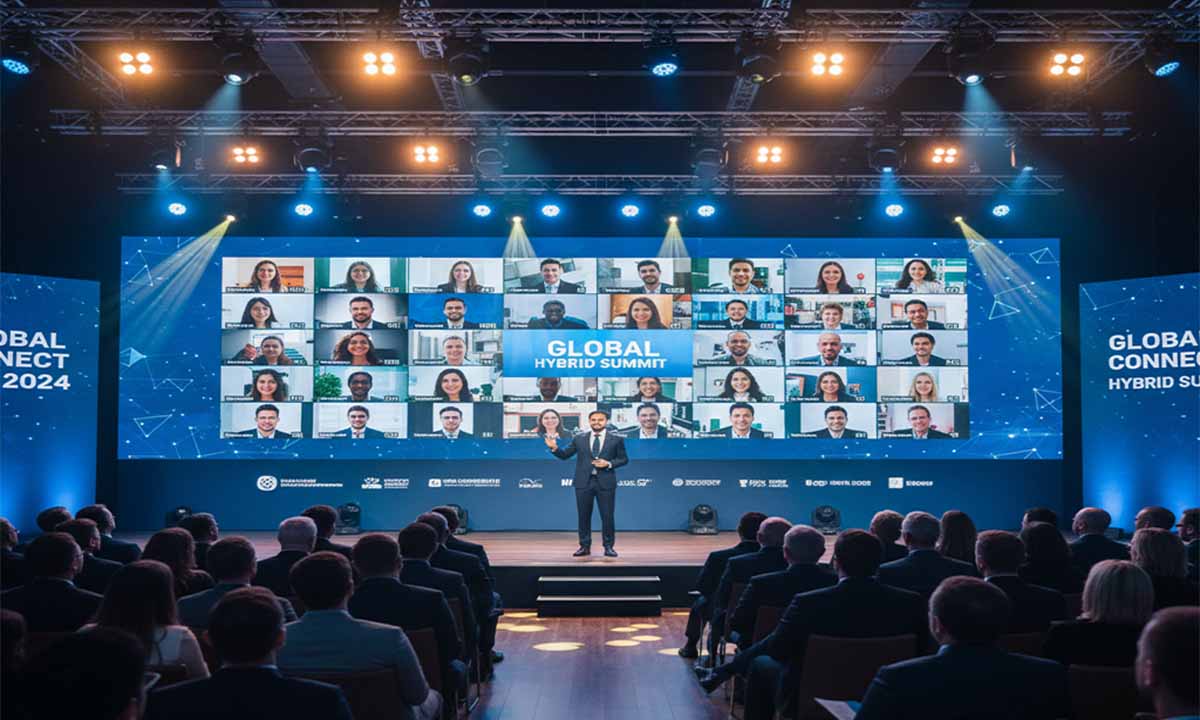
Best Practices for Hybrid Conference Setup

Best Practices for Hybrid Conference Setup

Creating a Seamless Hybrid Conference Experience: Global Best Practices

As communication continues to evolve, organizing events that connect people across distances has become more meaningful than ever. The rise of hybrid conferences where participants can join in person or online has transformed how professionals, educators, and organizations engage worldwide, underscoring the value of a solid blueprint for modern conference planning. These events bring together individuals from diverse regions, fostering exchange, collaboration, and shared growth.

Quick Overview:

A successful hybrid conference requires meticulous planning, reliable technology, engaging content, equal participation, smooth logistics, and continuous evaluation. This guide explores how to design, execute, and refine hybrid conferences to deliver meaningful experiences for both in-person and virtual attendees across the globe.

Strategic Planning and Goal Setting

Every successful event begins with a clear vision, and this is especially true for hybrid conferences, which benefit immensely from a winning conference strategy. Before choosing platforms or equipment, organizers must identify the event’s primary objectives. Are you aiming to expand your audience reach, improve participation, or reduce travel costs for attendees?

These goals determine every decision from format and schedule to content and tools. For example, if audience interaction is a key objective, integrating a robust Q&A or live polling system ensures both online and on-site attendees can share ideas equally.

Budgeting is another essential factor. Hybrid conferences often involve additional costs such as streaming equipment, audio-visual staff, and digital engagement tools. Allocating funds early for high-quality microphones, professional cameras, and reliable streaming software prevents technical setbacks later.

Understanding the audience is also critical. Knowing who will attend on-site and who will join remotely helps tailor the experience. In-person participants may appreciate extended networking sessions, while virtual attendees often prefer shorter, dynamic sessions with interactive elements.

Establishing a comprehensive timeline ensures readiness. Hybrid events require longer lead times for equipment testing, speaker rehearsals, and technical integration. Milestones should include venue selection, speaker recruitment, promotional campaigns, and system checks. Proper scheduling prevents rushed setups that could compromise event quality.

Choosing Reliable Technology and Platforms

Technology forms the backbone of any hybrid conference. Selecting dependable platforms and tools ensures a smooth and engaging experience for all participants.

High-definition streaming and crisp audio are essential. Poor video or lagging sound can make virtual attendees feel disconnected. Using professional cameras that capture both speakers and slides, paired with omnidirectional microphones, provides clarity for all.

Leading platforms such as Zoom Events, Microsoft Teams, and Webex offer features like real-time chat, breakout rooms, and polling that encourage interaction. Dedicated hybrid event software can further integrate analytics and engagement tracking.

Stable internet connectivity is non-negotiable. Organizers should secure a dedicated, high-bandwidth connection and prepare a backup such as a secondary Wi-Fi line or mobile hotspot.

Having a skilled technical support team is equally vital. This team handles live-streaming issues, troubleshooting, and assisting remote attendees who encounter access difficulties.

Comprehensive pre-event testing is a must. Conduct mock sessions with speakers and technicians to ensure everyone understands the setup. Testing microphones, cameras, slides, and connectivity helps identify potential weak spots before the conference begins.

Designing Engaging and Inclusive Content

Content is the heart of any event. In a hybrid setup, it should capture both the physical and virtual audience effectively. Merely streaming presentations isn’t enough; engagement must be intentional.

Shorter presentations interspersed with live Q&A or polls work well for online participants. These segments maintain focus and encourage interaction. For instance, after a keynote speech, moderators can host quick polls or invite audience questions through chat.

Speakers also need to adapt to this format. They should learn to balance attention between live and virtual audiences, making eye contact with the camera and responding to online comments. Having a moderator bridge both sides ensures that online attendees feel equally involved.

Offering digital breakout sessions or virtual workshops can provide online participants with valuable discussions. For in-person attendees, traditional roundtables or group sessions encourage organic networking.

Creating interactions that connect both groups such as shared Q&A sessions or collaborative online whiteboards builds a sense of unity across the audience. This integration reinforces inclusivity and shared participation.

Ensuring Equal Experience for All Attendees

Achieving fairness between online and in-person participants is one of the biggest challenges of hybrid events. Everyone should feel equally engaged and valued.

Appointing a dedicated moderator for online participants helps manage chats, relay questions, and represent their voice. Without such facilitation, remote attendees may feel overlooked.

Networking opportunities should also be inclusive. Virtual networking lounges, breakout rooms, and online discussion boards give remote participants ways to connect. In contrast, in-person attendees can benefit from dedicated areas for social interaction. Bridging these worlds through joint digital forums strengthens connection across audiences.

Accessibility should never be an afterthought. Providing real-time captions and transcripts supports participants with hearing impairments or language barriers. Sharing presentation materials online ensures everyone regardless of time zone or attendance mode can access key information.

A “virtual help desk” for remote participants can replicate the personal touch of on-site assistance. It creates a welcoming environment and helps troubleshoot issues quickly. Equal care for both audiences results in a more satisfying and engaging experience.

Optimizing Logistics and Venue Setup

On-site preparation plays a major role in the success of hybrid conferences. The venue setup must accommodate both physical and virtual audiences seamlessly.

Proper lighting ensures speakers appear clear on camera, while an effective sound system captures both the presenter and audience questions. Multiple cameras can provide varied angles, offering online viewers a complete perspective.

A large screen displaying chat messages or questions from virtual attendees helps on-site participants feel connected with their remote counterparts. Strong Wi-Fi coverage and ample power outlets are essential for attendees and devices.

Venue staff should be briefed on hybrid operations. They might handle camera setups, online moderation, or attendee assistance. Properly trained staff help prevent disruptions and maintain professional flow.

Preparing for contingencies is just as critical. Backup power supplies, alternative internet connections, and an emergency response team can minimize disruptions. Planning ahead for unexpected events ensures stability and confidence during the conference.

Gathering Feedback and Continuous Improvement

The end of a conference isn’t the end of the process. It’s a learning opportunity. Gathering and analyzing feedback is essential for improving future events.

Send post-event surveys to all attendees, both in-person and online. Ask about content quality, technical performance, and overall satisfaction. Encourage open suggestions for improvement.

Analyze engagement data from the online platform. Track session attendance, interaction levels, and audience retention. Identify which segments were most engaging and which areas need refinement.

Hold internal meetings with your organizing team to reflect on successes and challenges. Document lessons learned and practical adjustments for future hybrid events.

Feedback also helps communicate success to stakeholders and sponsors. Highlighting positive testimonials and participation data demonstrates value and strengthens support for future initiatives.

Maintaining Security and Privacy

With digital tools playing such a major role, safeguarding participant information is a top priority. Choose platforms that offer strong encryption, secure logins, and transparent data policies. Inform attendees about how their information will be used and protected, adhering to established data privacy best practices.

Implementing two-factor authentication and secure passwords can further protect conference systems from unauthorized access. For on-site events, ensure adequate venue security to protect both people and equipment.

Health and safety should also be considered. Providing sanitization stations, enforcing health protocols, and ensuring comfortable spacing help build confidence among attendees.

Taking proactive steps in data protection and physical safety reflects professionalism and care. Two qualities that enhance an organization’s credibility.

Creating Lasting Value Through Connection

Organizing a successful hybrid conference is a complex but rewarding endeavor. It combines thoughtful planning, reliable technology, and a deep focus on participant experience. When executed well, hybrid events can transcend borders, uniting professionals and communities across continents.

Through careful preparation and genuine engagement, organizers can deliver events that foster learning, collaboration, and connection on a global scale. Hybrid conferences are not just temporary solutions, they are shaping the future of human interaction in an increasingly connected world.