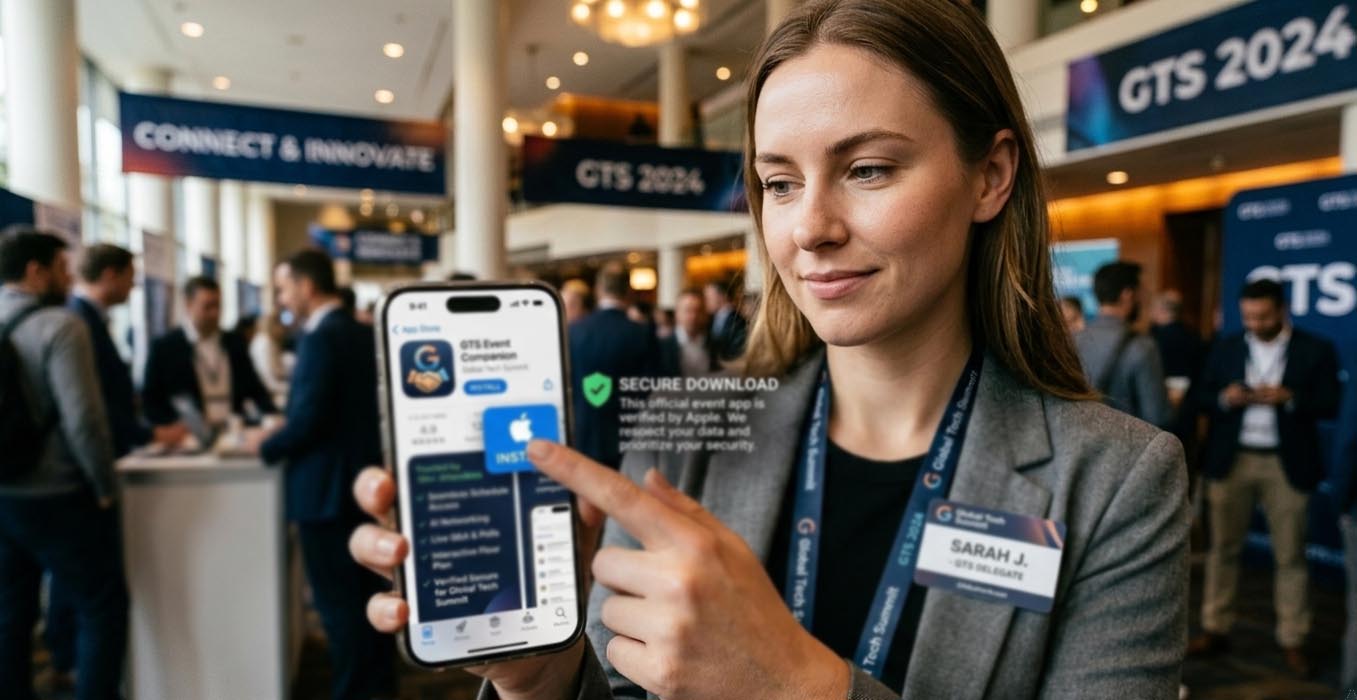
How to Offer Conference App Downloads Without Losing Attendee Trust
Asking attendees to download your conference app is not a small request. You are asking for space on their personal devices. You are asking for permissions. You are asking for confidence. That moment, when someone taps Install, is where trust is either reinforced or quietly lost.
Conference apps power schedules, speaker updates, networking tools, live polls, and venue maps. They streamline the entire event journey. Yet the path to installation must feel safe and intentional. A poorly explained download link can create hesitation. A suspicious file can create reputational damage that lingers long after the event closes.
At a Glance
- Default to official app stores for public distribution
- Use APK delivery only in tightly controlled scenarios
- Explain verification steps in simple language
- Align app messaging with overall event tech strategy
- Support attendees with clear security guidance
Understanding the Risk Before You Share a Link
Attendees are more alert to digital risks than ever. QR code scams circulate widely. Fake event pages appear quickly. Even experienced professionals hesitate before downloading unfamiliar software. If your event brand is premium and carefully curated, your app distribution process must reflect the same standard.
An event app often requests notifications, camera access for badge scanning, Bluetooth for networking, and sometimes location data for indoor navigation. None of these are unreasonable. What matters is clarity. People accept permissions when they understand the purpose. They resist when the process feels rushed or opaque.
When APK Distribution Is Necessary
For most public conferences, official app stores are the right choice. However, certain enterprise events operate under device management policies that restrict access to public marketplaces. In those cases, distributing apk files may become a controlled requirement.
If you move in this direction, position it clearly as an exception. Limit access to authenticated participants. Provide checksum verification details for IT departments. Offer a direct contact channel for technical validation. This communicates that you respect security standards rather than bypassing them casually.
Transparency matters here. State why the APK route exists. Identify who should use it. Make it obvious that the primary recommendation remains official stores wherever possible.
Aligning App Distribution With Modern Event Technology
App downloads should not feel isolated from your broader event ecosystem. They sit alongside registration systems, badge printing, live streaming, and analytics dashboards. A cohesive approach to technology builds confidence.
That philosophy is consistent with strong modern event technology planning, where each digital component supports both usability and security. If your website looks polished and your registration portal feels secure, your app distribution must match that tone.
Consistency across channels reduces friction. The same logo. The same naming convention. The same color palette. These visual cues reassure attendees that they are interacting with the real application.
Communicating Verification Steps Clearly
Security guidance does not need to be technical. It needs to be practical. Provide a short checklist within your confirmation emails and on your event website. Keep it direct.
- Confirm the developer name matches your organizing company.
- Check that the app description references the correct event name and dates.
- Compare the icon displayed in the store with the one shown on your official website.
- Avoid downloading from search engine ads that redirect to unfamiliar domains.
Each point builds awareness without creating anxiety. Attendees feel guided rather than warned.
Integrating Downloads Into the Check In Journey
If your app supports on site registration, badge activation, or QR based access control, the download process must be introduced early. Do not wait until attendees stand in line.
A thoughtful approach aligns well with structured planning around seamless check in experiences. If digital badges or session scanning rely on the app, communicate this week in advance. Offer installation guidance and troubleshooting tips before arrival day.
Frontline staff should have a short script. They should know the official link by memory. They should reassure attendees that the download originates from a verified store listing. Calm repetition reinforces credibility.
Comparing Distribution Methods
| Method | Control Level | Perceived Trust | Best Use Case |
|---|---|---|---|
| Google Play Store | High platform oversight | Very High | Public conferences |
| Apple App Store | Manual review process | Very High | iOS audiences |
| Direct APK | Organizer managed only | Moderate | Enterprise restrictions |
This comparison clarifies why store first distribution should remain the standard for most events.
Five Structured Safeguards for Organizers
You do not need a massive cybersecurity department to protect attendees. You need discipline and documentation.
- Reserve your app name early to prevent impersonation.
- Enable two factor authentication for developer accounts.
- Audit every marketing asset for accurate download links.
- Monitor app reviews for suspicious reports.
- Provide live technical support during peak arrival hours.
These measures reflect widely accepted cybersecurity hygiene principles, similar to those outlined by UK NCSC. While their scope is broader, the fundamentals apply equally to event environments. Identity verification. Controlled access. Clear documentation.
Language That Builds Confidence
The tone you use in your messaging influences perception. Avoid dramatic warnings. Avoid complex technical explanations. Short sentences communicate control. Calm phrasing communicates preparation.
Instead of emphasizing risk, focus on clarity. State that the app is available through official channels. Explain what permissions are requested and why. Offer contact details for concerns. This approach makes security feel like a normal part of your event planning, not an afterthought.
Protecting Your Reputation Through Careful Distribution
Every digital interaction shapes how attendees view your conference. A smooth, verified download process signals professionalism. A confusing or risky one signals neglect.
Choose official stores as your foundation. Use APK distribution only when operationally necessary. Provide simple verification steps. Align messaging with your broader event technology strategy. By treating app downloads as a trust building exercise rather than a technical formality, you safeguard both devices and your brand.